JCE editor (Pro)
Pro version. This feature is part of the Pro version of Fileshelf. What the Free version does is covered under Free version and Pro version.
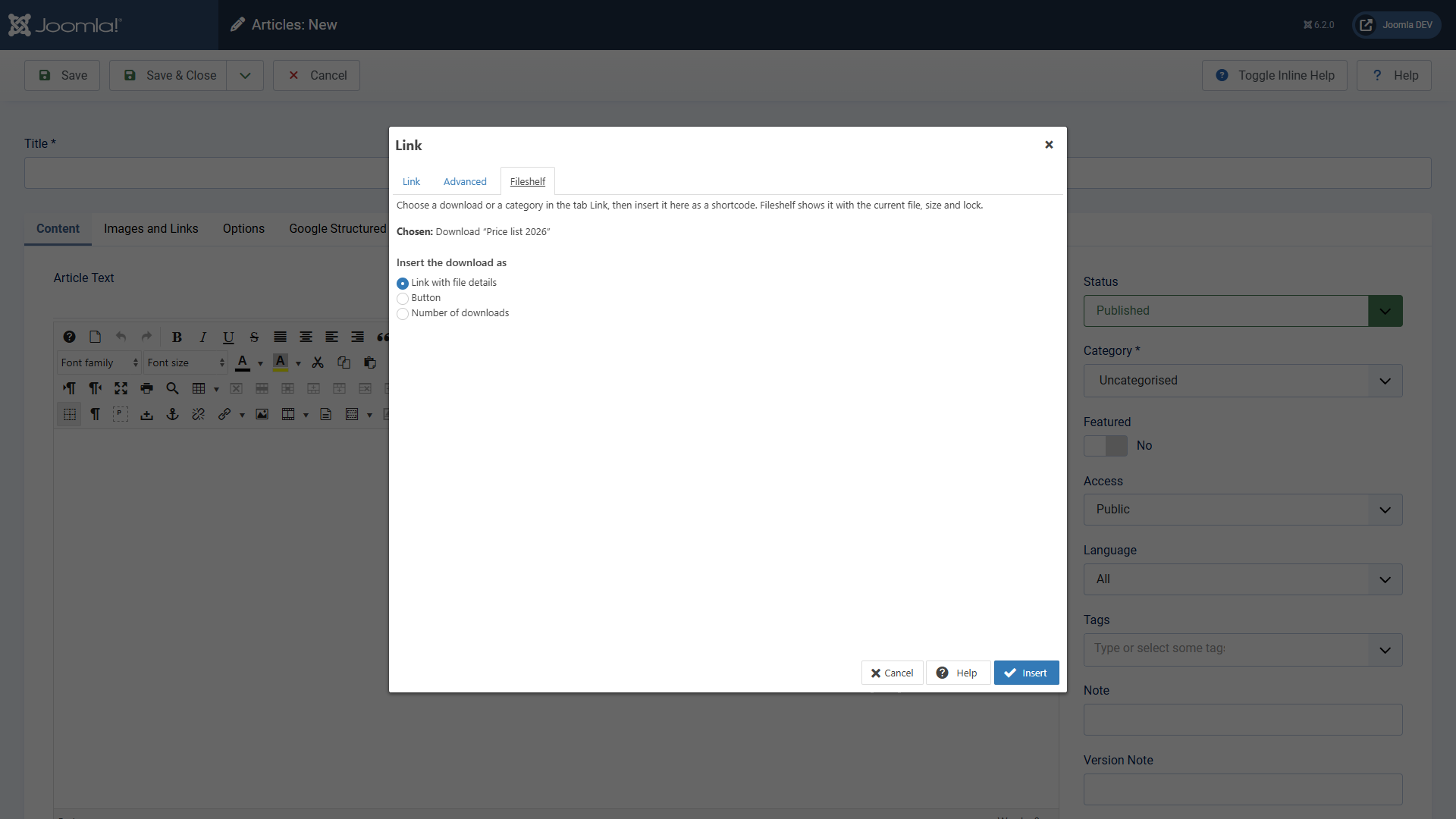
If you work with the JCE editor (2.9 or newer), pick downloads right in the link dialog. The plugin JCE - Fileshelf links adds Fileshelf to the dialog; the button Fileshelf below the editor (see Editor button) works in JCE as well.
Inserting a link
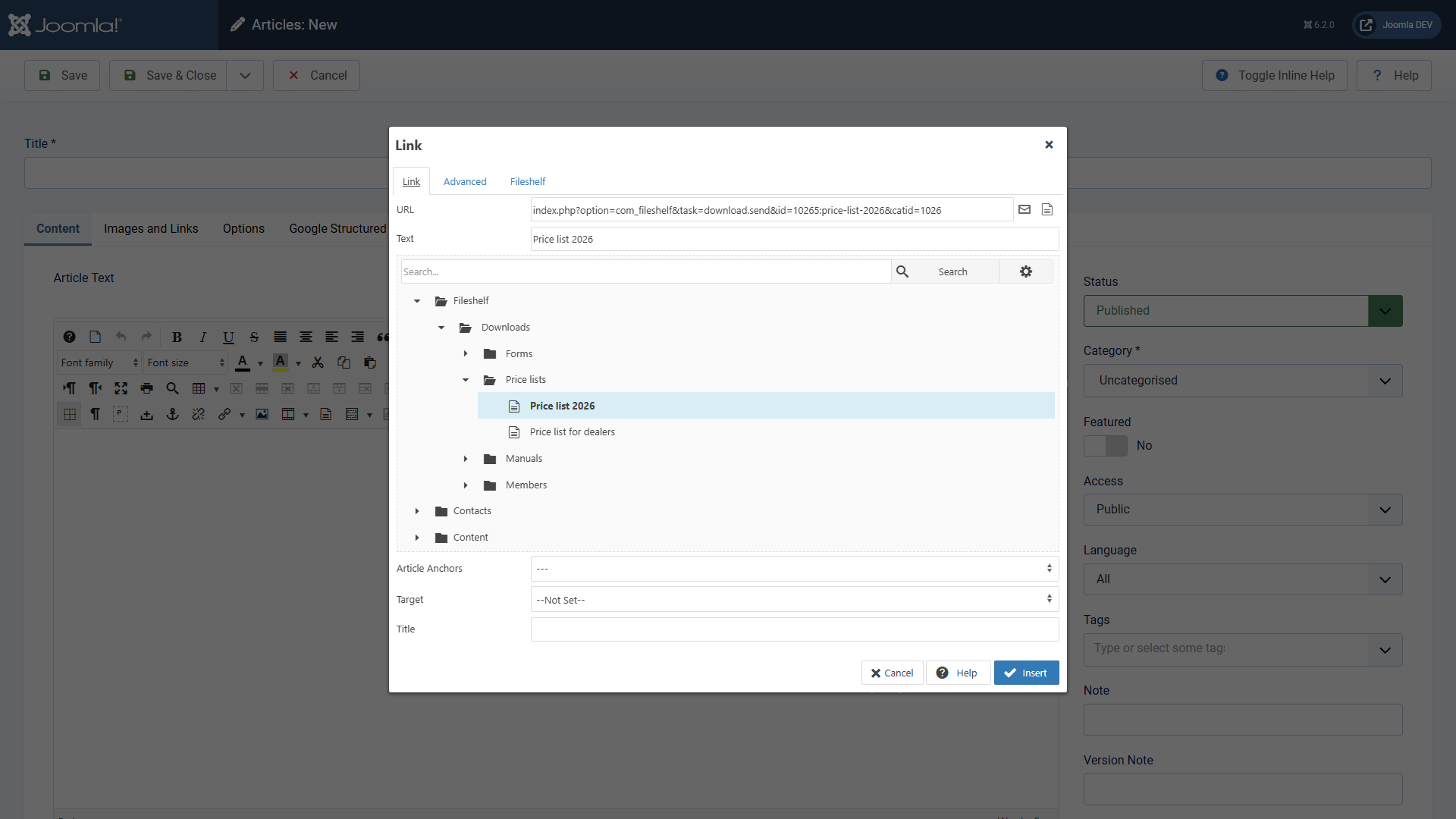
Select the spot or the word in the text, open the link dialog and expand Fileshelf in the tree. Below the categories you find the downloads; a click takes over the link. It always goes through Fileshelf – with counter and access check –, never straight to the file. You only see categories and downloads you may see yourself.
Inserting a shortcode
Instead of a plain link, the tab Fileshelf inserts a shortcode: choose a download or a category in the tab Link, switch to the tab Fileshelf and choose the form – for a download link with file details, button or number of downloads, for a category list or cards. Insert puts the shortcode into the text; Fileshelf shows it with the current file, size and lock (see Shortcodes in articles).