
Second alert channel (Pro)
Pro version. This feature is part of the Pro version of Mail Log. What the Free version does is covered under Free version and Pro version.
Mail Log reports a failed send by e-mail. That is a circle: the one message that matters has to go out over the very route that is not working.
The second alert channel gets around it. The message leaves your site over an ordinary web address and arrives where you are looking anyway: a chat room, an alerting service, or a small script of your own. None of them care whether your mail server is up.
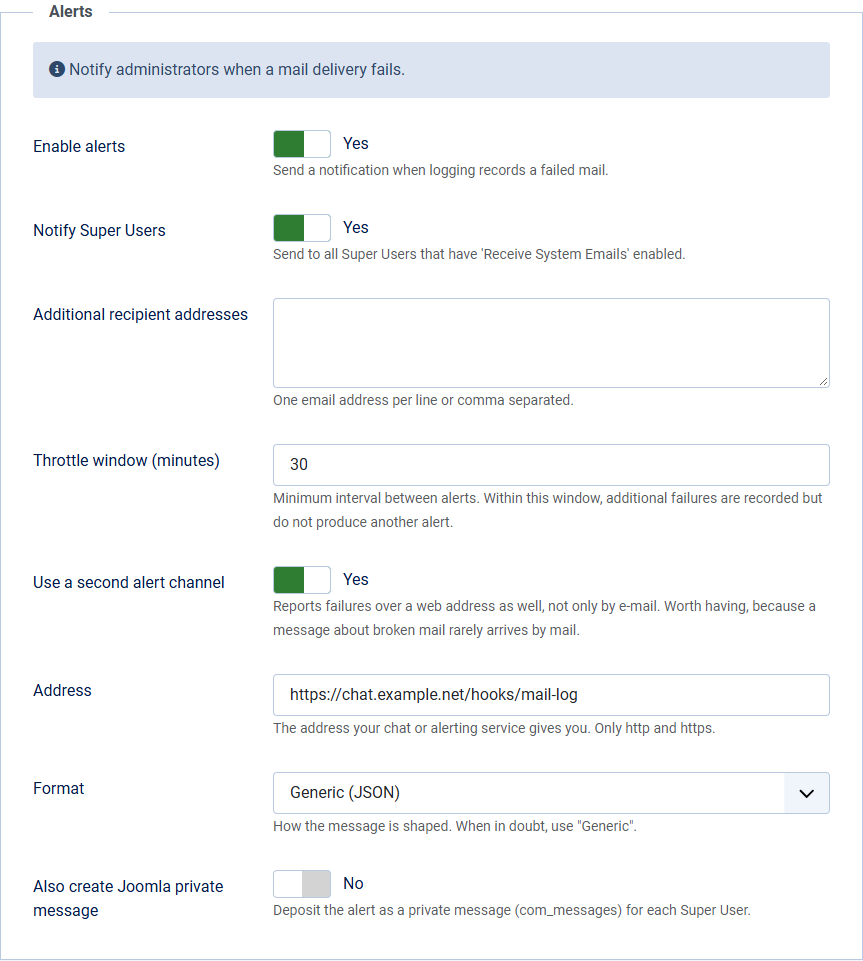
Setting it up
- In Options, open the Alerts tab.
- Switch on Use a second alert channel.
- Enter the address your service gives you. Only
httpandhttps; anything else is refused. - Choose the format — see below. When in doubt, use Generic.
The e-mail notification is untouched by this. You can run both side by side, or leave the e-mail recipients empty and rely on the second channel alone.
Which format
- Generic (JSON) sends the details as separate fields: sender, subject, time, error message. That is the right choice for an alerting service, a script of your own, or a flow in Microsoft Power Automate — and therefore also the way to Microsoft Teams.
- Slack, Mattermost, Rocket.Chat sends a single block of text, the way those services expect it. You get the address there under "Incoming Webhook".
What is transmitted
Exactly what the alert e-mail contains: the name of the site, the subject of the failed message, the sender, the recipient addresses, the time, the mail server's message and the reference of the log entry. Nothing more.
The recipient addresses leave your site in the process. If your chat service is hosted by someone else, those addresses travel there. That is a decision for you to make — check that it fits your record of processing activities. The message body is never transmitted.
When the channel does not answer
Nothing further happens. If the address cannot be reached, answers too slowly or refuses, that one alert is lost and the event goes into the Joomla log. The page request carries on as normal — after five seconds at most, there is no more waiting.
That is deliberate: the channel speaks up at a moment when something is broken already. It must not turn that into a second fault.
How often it reports
The second channel keeps to the same throttle as the e-mail: within the window you set there is one message, further failures are counted but not reported one by one. A mail server that is down gets you one notification, not four hundred.