
Using the Phoca Download source in the builder
WirdThe synchronisiertPhoca …Download source is available in every YOOtheme element that supports dynamic content —
grid, list, slider, cards, headlines or buttons, for instance.
Selecting the source
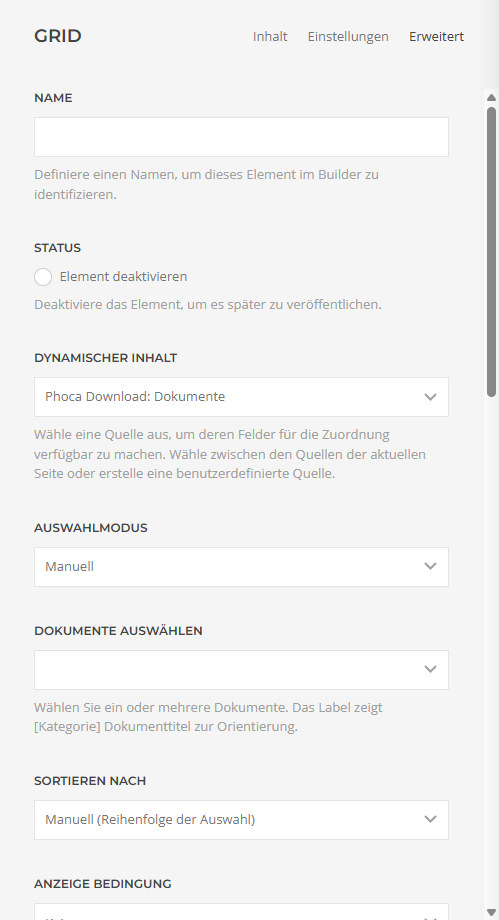
The source does not appear? Clear the YOOtheme cache (YOOtheme → Settings → Advanced → Clear Cache) and reload the builder. Also check whether Phoca Download and the plugin are enabled.
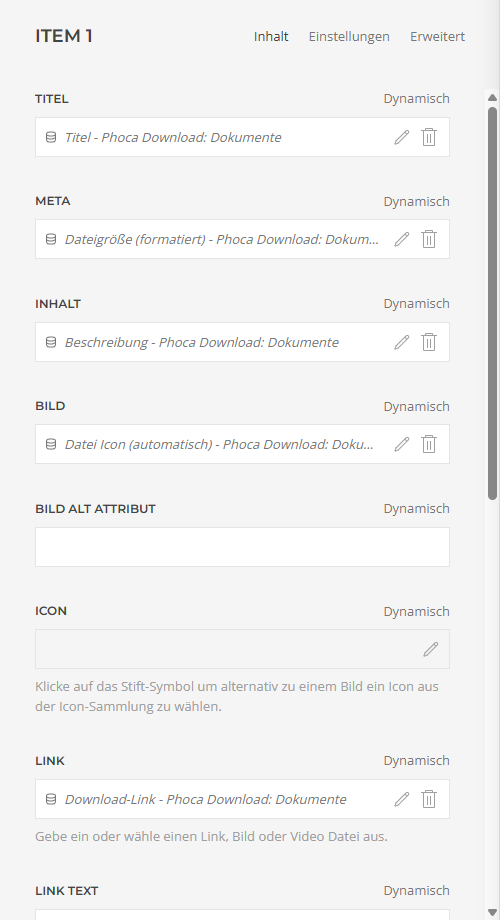
Assigning fields
Once the source is chosen, you map the Phoca Download fields to the areas of the element: on a grid, for example, title → field "Title", image → "Image (full view URL)", link → "Download link". Every field can additionally be filtered (shortening text or formatting a date, say) — those are the standard filters of the YOOtheme builder.
Preview and publishing
The builder shows the real content in the preview right away. New or changed downloads appear automatically — the layout stays in sync with Phoca Download without you having to edit the page again. Unpublished or unapproved documents are never output.
Which settings the three source types offer is described in the article The three source types .
Applies to version 1.7.2.