
Reading the evidence: why is a file considered orphaned?
WirdThe synchronisiertdetail …view is the heart of Media Organizer — and the reason you can trust a classification
without having to believe it. You open it by clicking the file name in the review view.
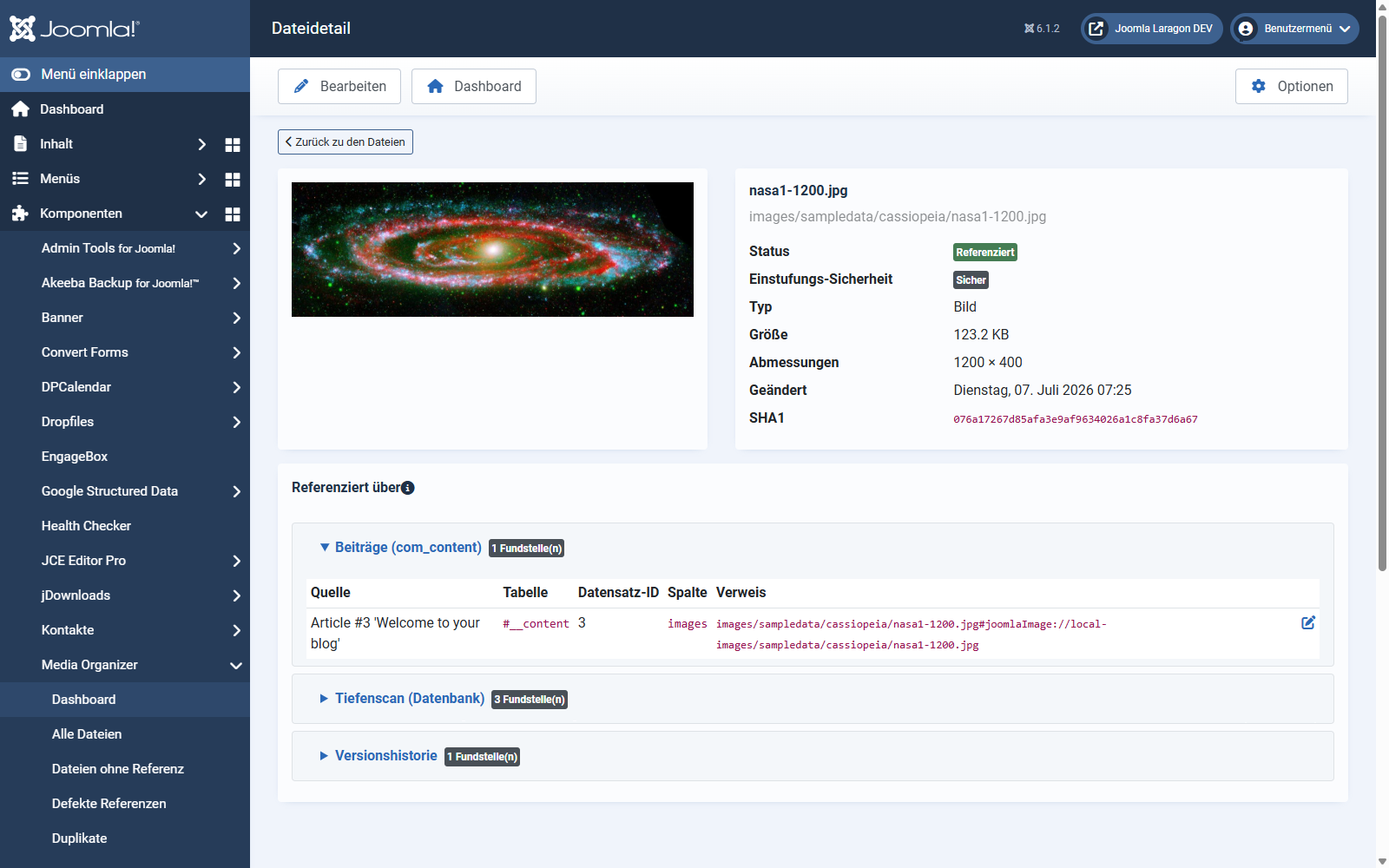
The header area
"Referenced by" — the occurrences
Here you see who uses the file. The occurrences are grouped by search area, for example:
Every row shows the source (for example "Article #3 'Welcome to your blog'"), the table and the record, the column as well as the reference found in the original text. On the right an edit link leads straight to that content — useful when you want to remove or correct a reference.
Several search areas may report the same occurrence. That an article provider and the deep scan report the same file is not a fault but two independent pieces of evidence for the same statement.
Why a file counts as "without a reference"
If none of the enabled search areas finds a reference, the file counts as unreferenced. The detail view then shows which areas were checked — and thereby also what was not checked.
This is exactly where a second look pays off:
Folder references: the most important special case
Some extensions do not point to a file but to a whole folder — a random-image
module showing "all images from images/banner", for instance.
Media Organizer treats such a folder reference as fully valid: all files below it count as used, even if none is named individually. Otherwise a single module would be enough to make half an image directory look orphaned by mistake.
Derivatives
Many images have automatically generated variants — thumbnails, scaled-down versions, responsive sizes. Media Organizer recognises such derivatives and treats them like the original: if the original is in use, the derivative counts as used as well. That way no thumbnail disappears whose original is still needed.
Where to go from here
Applies to version 1.0.3.