
Quick start: the first scan
WirdA synchronisiertscan …rebuilds the inventory of your media files and searches for references to them. It is
harmless:
A scan never writes to the file system. It reads, compares and writes the result to the database. Nothing is moved, nothing renamed, nothing deleted.
Starting the scan
Open Components → Media Organizer and click Scan. The scan runs in steps and shows its progress; on larger websites you can abort it and continue later.
How long it takes depends mainly on the number of media files and the size of your database. On a typical medium-sized website it is seconds to a few minutes.
Reading the dashboard
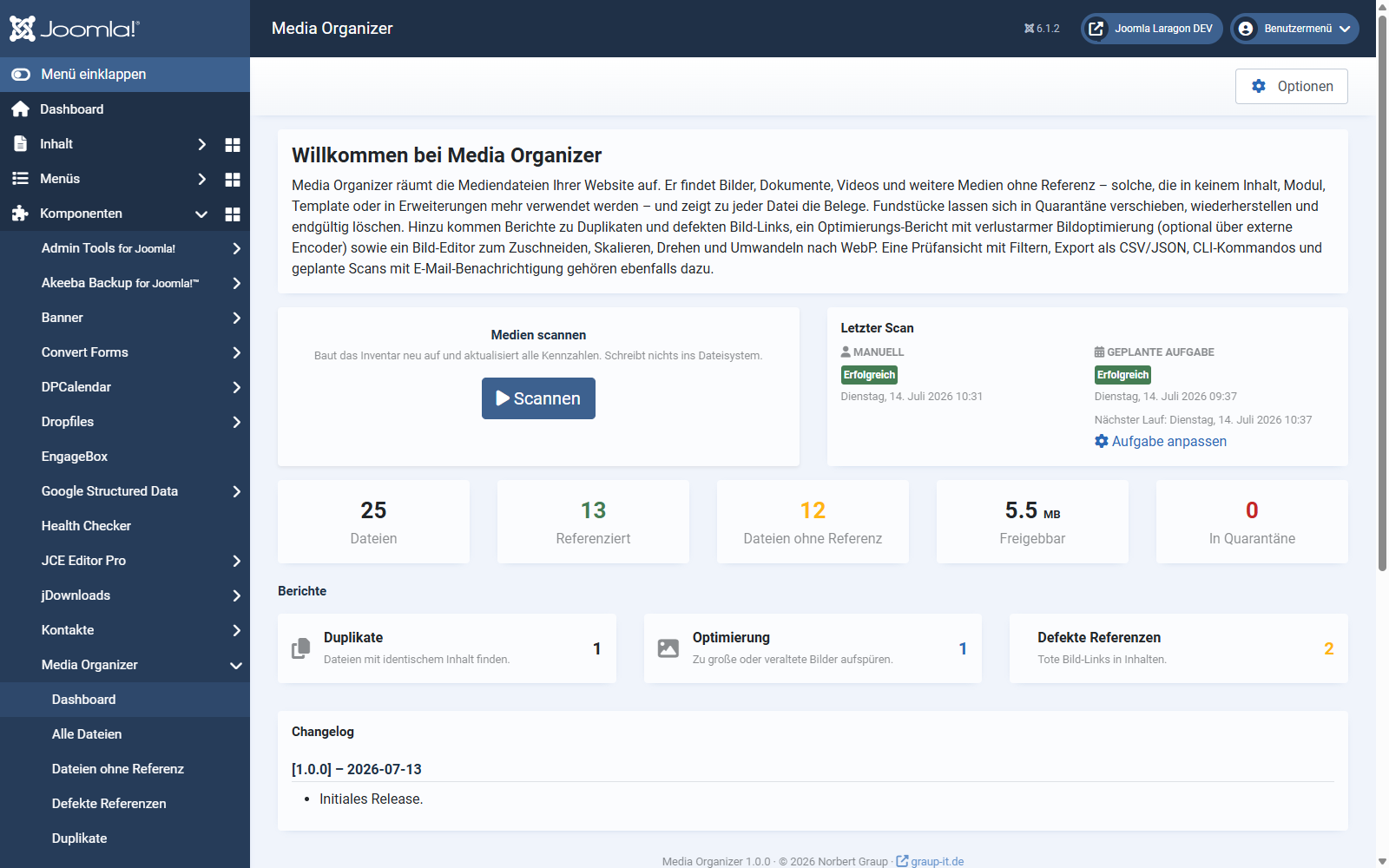
"Without a reference" does not mean "superfluous". It means: nothing was found in any of the enabled search areas. If a file is used somewhere that is not covered yet, it appears here as well. That is exactly what the evidence is for — and exactly why Media Organizer deletes nothing by itself.
The three reports
What you should do now
Resist the temptation to push everything unreferenced into quarantine straight away. A sensible first pass looks like this:
Automating scans
Scans can run regularly through the Joomla task scheduler and inform you by email. The scheduled scan can only find and report — it never moves or deletes anything. There is deliberately no automatic cleanup.
Where to go from here
Applies to version 1.0.3.