
Download key and updates
Media Organizer is a commercial extension. After the installation it works completely — even without a key. The download key is needed for updates only.
Without a key entered, Media Organizer keeps running unchanged. It is merely that no updates are offered.
1. Create the key
Log in to your account on graup-it.de. There you find your personal download key.
The key belongs to your subscription. Treat it like a password: whoever has it can download your updates. Do not pass it on and do not publish it in screenshots or support requests.
2. Enter the key in Joomla
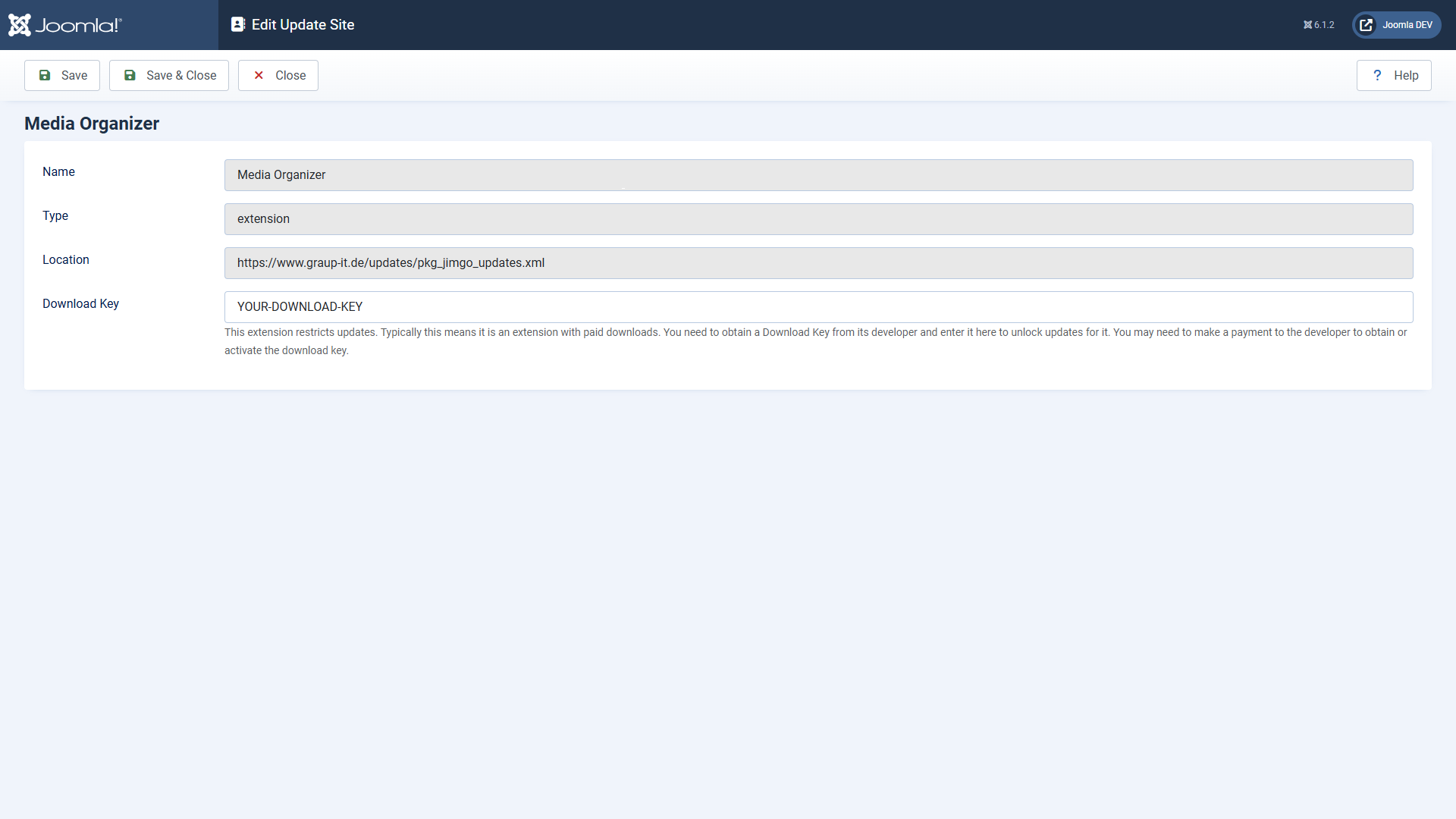
- Open System → Update → Update Sites.
- Find the entry Media Organizer.
- Enter the key into the field Download Key and save.
3. Updating
From now on Media Organizer appears like any other extension under System → Update → Extensions. Select the entry and click Update — Joomla downloads the package and installs it.
While downloading, Joomla verifies a SHA-256 checksum of the package. If it does not match the one stored on the update server, the installation stops instead of installing a possibly damaged or manipulated package.
When no update is offered
| Observation | Cause and remedy |
|---|---|
| "The download key is missing" | The key is not stored (or not at this update site). See step 2. |
| Media Organizer does not appear in the update list at all | Click Check for Updates. Joomla caches results; only then is it asked again. |
| The update appears but stops with "checksum verification failed" | The downloaded package does not match the stored checksum. Try again; if the error persists, contact support — do not install anything manually past Joomla in that case. |
| "Update site not reachable" | Your server cannot reach the update server. Check outgoing HTTPS connections and any firewall. |
Where to go from here
Applies to version 1.0.5.