
The log list
WirdThe synchronisiertlog …list shows all logged mails. You reach it through the menu item Mail Log in the
sidebar or via Open logs on the dashboard.
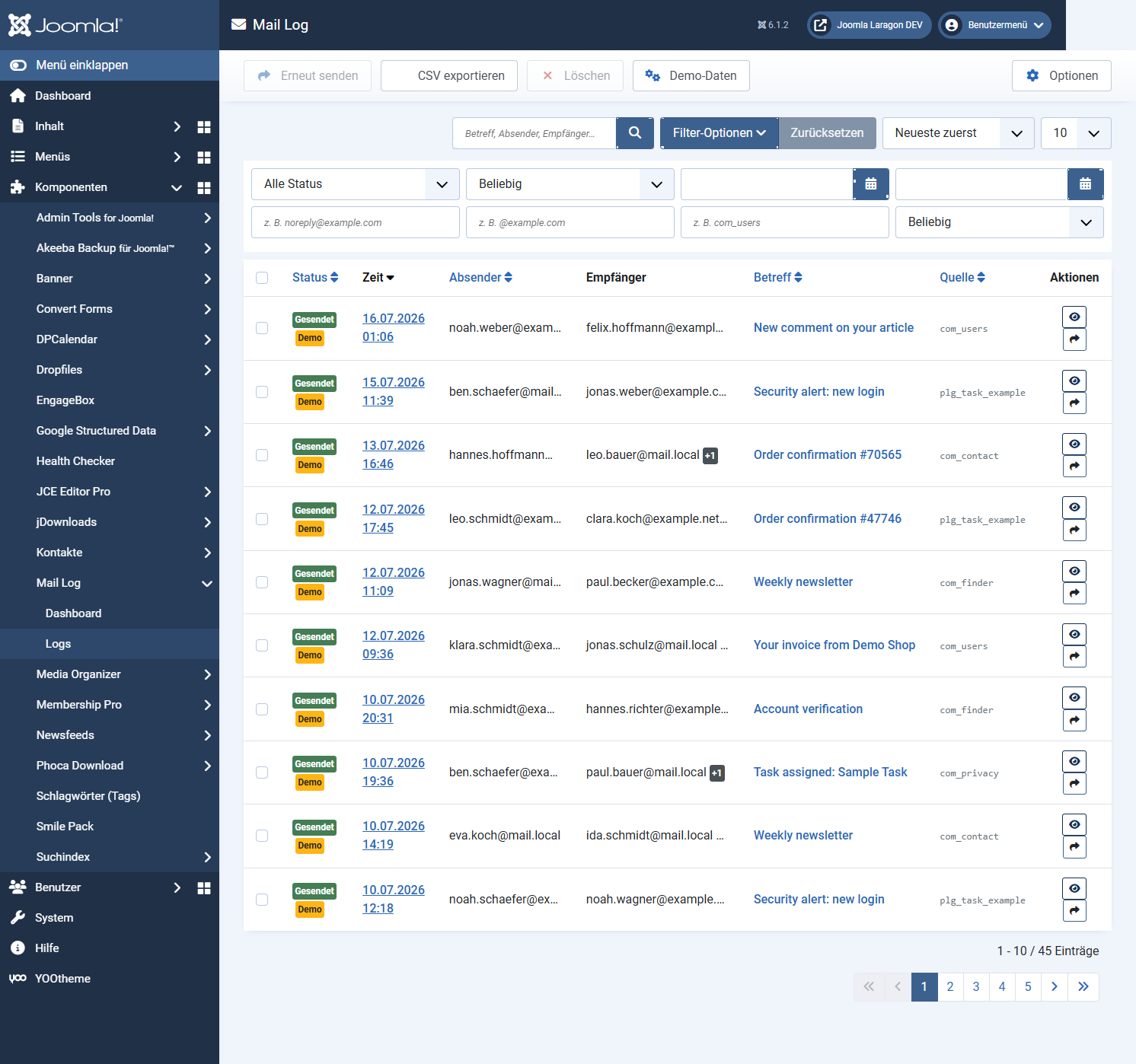
The columns
com_users, for example).
ActionsView the entry and — with the corresponding permission — resend it.
A yellow demo marker identifies test entries you created yourself (see below).
Searching and filtering
Via Filter options you open the filter bar:
The column headers status, time, sender, subject and source are sortable. The page size is set at the foot of the list.
Several entries at once
Use the checkboxes to mark several entries and then apply a toolbar action — Resend or Delete (each requiring the matching permission). Both actions ask for confirmation first.
Exporting
Demo data for trying things out
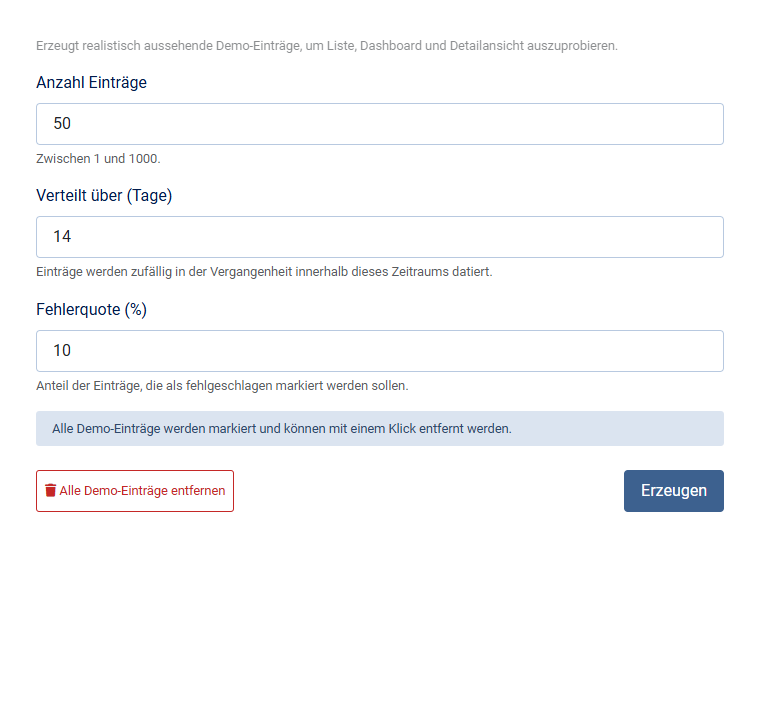
With the permission manage demo data you create realistic-looking test entries through the toolbar, to try out the list, the dashboard and the detail view. All demo entries carry the demo marker and can be removed again with one click.
Applies to version 1.0.4.