
Suppression list (Pro)
WirdPro synchronisiertversion. This feature belongs to the Pro version of Mail Log. What the
free version can do is described under Free version and Pro version.
The suppression list holds the addresses that should no longer be written to. It grows out of the reports Mail Log fetches — see the chapter Return channel.
Why it exists
Keep writing to addresses that demonstrably do not exist and you damage your own standing with the receiving server. Large providers read a high undeliverable rate as the mark of a sender who does not maintain their list — and then downgrade the mail to your valid recipients too. It ends up in the spam folder, or is refused outright.
The suppression list is therefore not a convenience but deliverability protection: it protects the mail to everybody else.
When an address gets on it
You set the threshold under Options → Return channel → Evaluation: Suppress after … temporary failures and the period for that. Only what falls inside that window is counted — an address that was unreachable three times two years ago is not a case today.
A further event does not overwrite the reason. An address suppressed because of a complaint stays suppressed for that reason, even if a temporary failure comes in afterwards. The events counter still goes up.
What a suppression does
Mail Log refuses to resend to a suppressed address — both through the button in the detail view and through the queue. The error message names the address concerned, so that you know which one to release if you want to. To and Cc are checked; a blind copy is not something the recipient sees anyway.
A suppression does not stop Joomla's own sending. If somebody registers again with a suppressed address, or a newsletter tool adds it back, the mail goes out — Mail Log records it but does not hold it back. The send path belongs to Joomla, and an extension that quietly inserts itself into it would be the wrong place for this.
The suppression list is therefore a statement about which addresses are dead. What follows from it is your decision — usually: remove the address in the source it came from.
Adding and releasing by hand
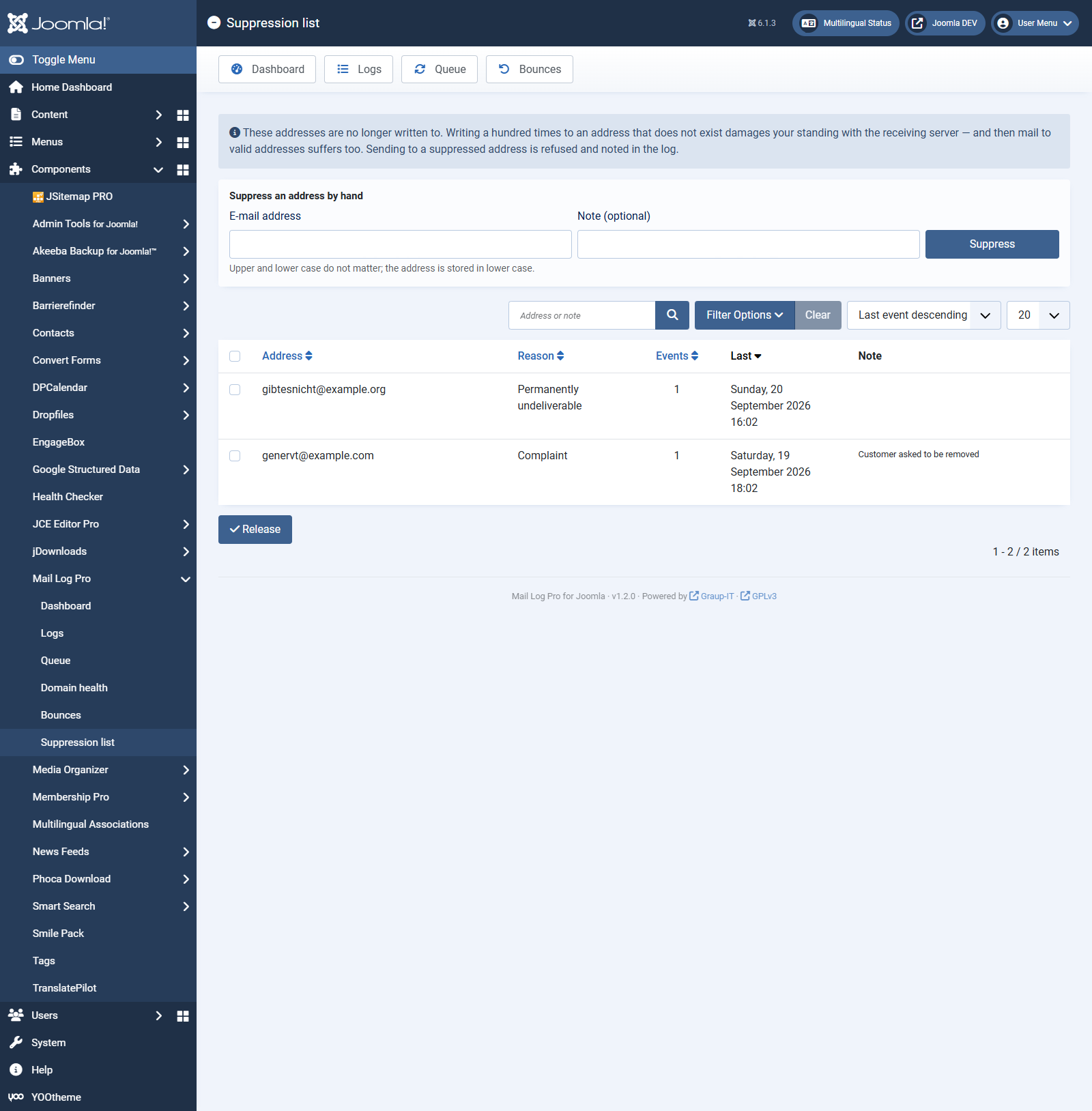
Under Mail Log → Suppression list:
You can filter by reason and free text (address and note). The events column counts how often the address has come up — a high number on a temporary suppression is a hint that the mailbox was not just briefly full.
Who may do this
Adding and releasing depend on the Manage the suppression list permission (Options → Permissions). Whoever holds it decides who this site still writes to — grant it sparingly. Viewing the list only needs the ordinary read permission; deleting bounces depends on the log's delete permission.
When switching back to the free version
The suppression list stays stored and is merely no longer shown or maintained. Install the Pro version again later and it is there unchanged.