
Send routes (Pro)
WirdPro synchronisiertversion. …This feature is part of the Pro version of Mail Log. What
the Free version does is covered under Free version and Pro version.
Read this before you switch anything on. Mail Log watches your mail and does not interfere. The queue and the backup route only act once a delivery has already failed. Send routes are the one exception: here Mail Log changes a send that would otherwise have run perfectly normally.
That is deliberate, and it is off by default. If you switch it on, it is on you that the accounts you enter actually work — a route set up wrongly costs you the delivery of exactly the messages you assigned to it.
Every rule row has its own Test the connection button. It works exactly like the one described in the Backup send route chapter: it checks that row's values, no test mail is sent, and an empty password box means "unchanged".
What it is for
An order confirmation and a newsletter have nothing in common but the technology. Send both over the same outgoing server and they share its reputation: complaints about the newsletter hit the password reset, and sooner or later that lands in the spam folder.
Send routes keep them apart. You define a rule — "everything to @bigcustomer.com", say, or "subject contains Newsletter" — together with the server those messages should take. Everything else keeps to the usual way.
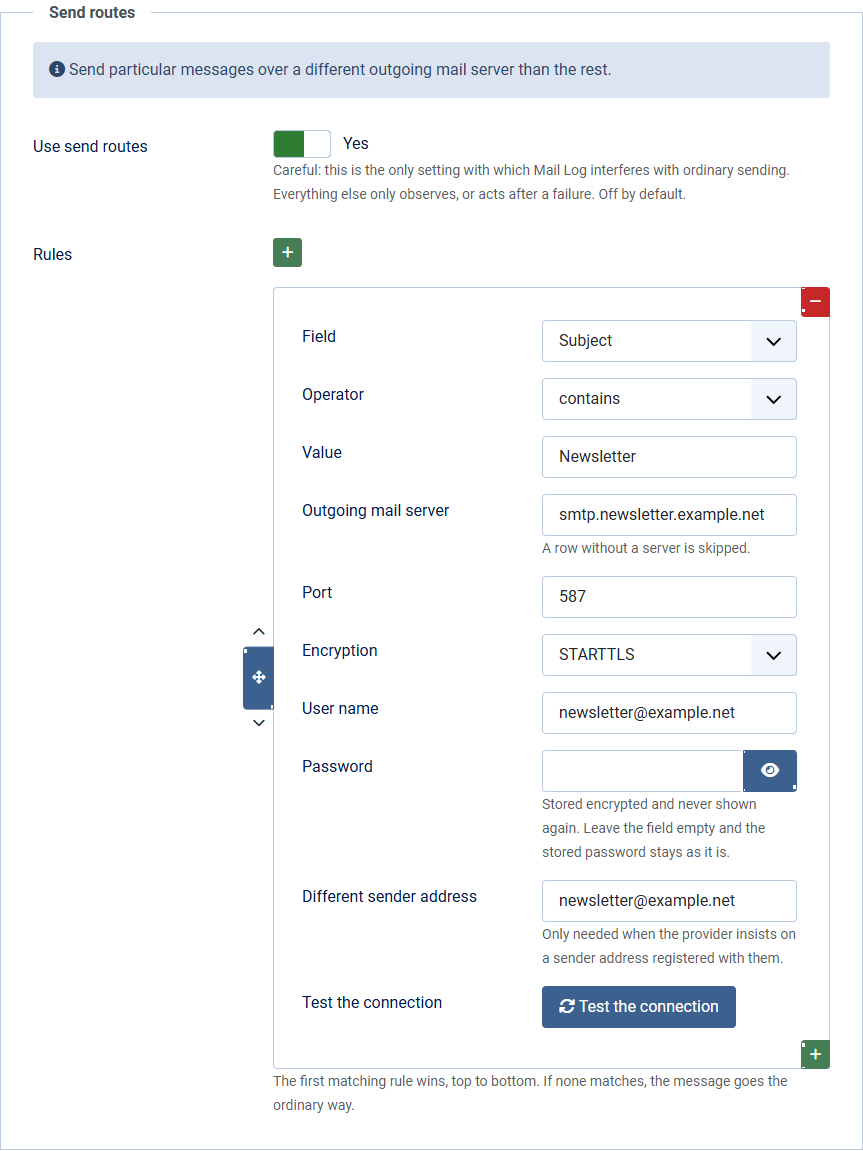
Setting it up
Which rule applies
The first one that matches — top to bottom. The search stops there. So order your rows from the specific to the general: the exception at the top, the broad rule below it.
If no rule matches, the message goes the ordinary way. The same holds for rows without a server and for accounts whose password can no longer be read — after the security key of your Joomla installation was changed, for instance. A rule failing costs you the special treatment, never the delivery.
What a route does not change
Nothing about the message itself: not the subject, not the content, not a single recipient. Only server, port, encryption, credentials and — if you enter one — the envelope sender address are changed. A rule therefore cannot affect what the reader receives.