
Resending a mail
Mail Log can deliver a logged message again. That is useful when a mail got lost, ended up in spam or went to the wrong address. Resending uses the stored content and goes through the normal Joomla mailer — a new log entry is created.
How to resend
- From the list: the Resend button in the action column, or mark several entries and use the toolbar action Resend.
- From the detail view: the section Resend with the button Resend this email.
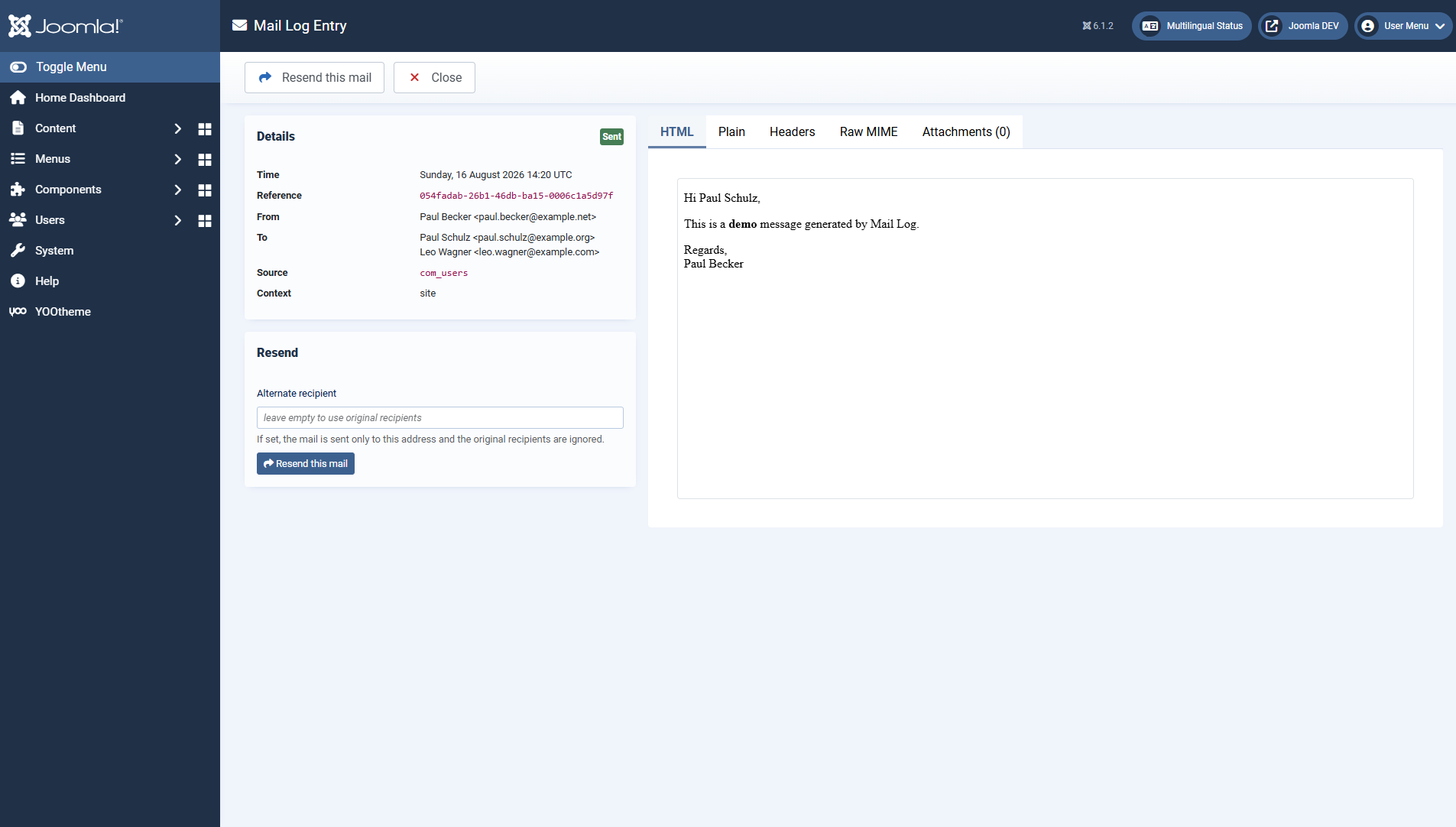
To a different address
In the detail view you can enter an alternative recipient address. If it is set, the mail goes to that one address only; the original recipients are ignored. If the field stays empty, subject, text and attachments go to the original recipients.
Resending requires the permission resend mails. Every resend creates a log entry of its own that refers back to the original.
When resending is not possible
So that nothing unexpected happens, Mail Log refuses to resend in some cases with a clear message:
- Only metadata stored. If the mail was classified as sensitive (a password reset, say) and stored with metadata only, its text is not available and cannot be sent again.
- Text cannot be reconstructed. If the body is encrypted and the key is not available, or if it was stored truncated, Mail Log says so instead of sending an empty mail.
Protection against misuse
Two limits prevent accidental mass sending and misuse:
- Between two resends of the same mail there is a waiting time of 30 seconds.
- A single mail can be resent at most 20 times.
Both values are deliberately fixed, so that a compromised account cannot misuse Mail Log as a spam cannon.
Applies to version 1.0.4.5.