
Notifications when delivery fails
WirdMail synchronisiertLog …can warn you actively when a delivery fails — so you learn about a mail problem without
having to keep looking into the log. The settings are in the options in the tab
notifications.
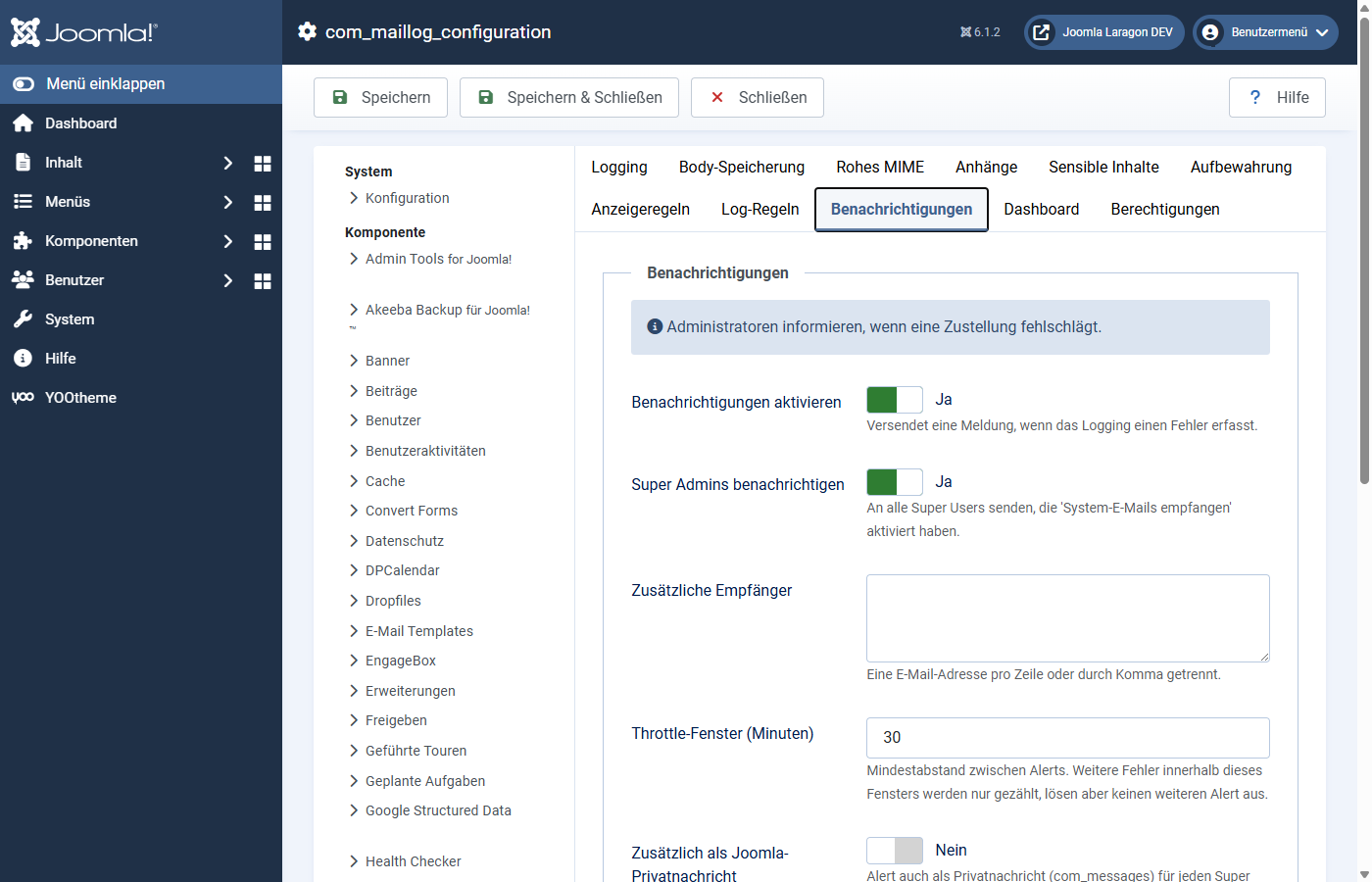
Enabling and choosing recipients
Not too many messages: the throttle
So that a run of failures (a mail server that has gone down, say) does not flood you with hundreds of warnings, Mail Log combines alerts.
With throttle window (minutes) (default 30) you set the minimum gap between two alerts. Further errors within that window are counted but trigger no further message. So you get a warning, not an avalanche.
No loop
The warning mail itself is not treated as a new error when it is sent — Mail Log deliberately prevents one notification from triggering another. That way no alert loop can arise.
Recommendation
On production sites it is worth switching notifications on and keeping at least the super admins as recipients. That way you notice a delivery outage within minutes instead of at the next customer complaint.
Applies to version 1.0.4.