
Maintenance: scheduled tasks
Mail Log comes with maintenance tasks that run through the Joomla task scheduler. They keep the database lean, maintain the statistics and carry out one-off conversions. None of these tasks runs by itself — you set them up in the task scheduler.
Setting up a task
- Open System → Manage → Scheduled Tasks and click New.
- In the selection dialogue, choose one of the Mail Log task types (see the table).
- Give it a name, set the interval under execution rules (daily, for example) and save.
- Enable the task. For scheduled tasks to actually run, the Joomla scheduler has to be triggered — by a website visit (the default) or by a real cron job.
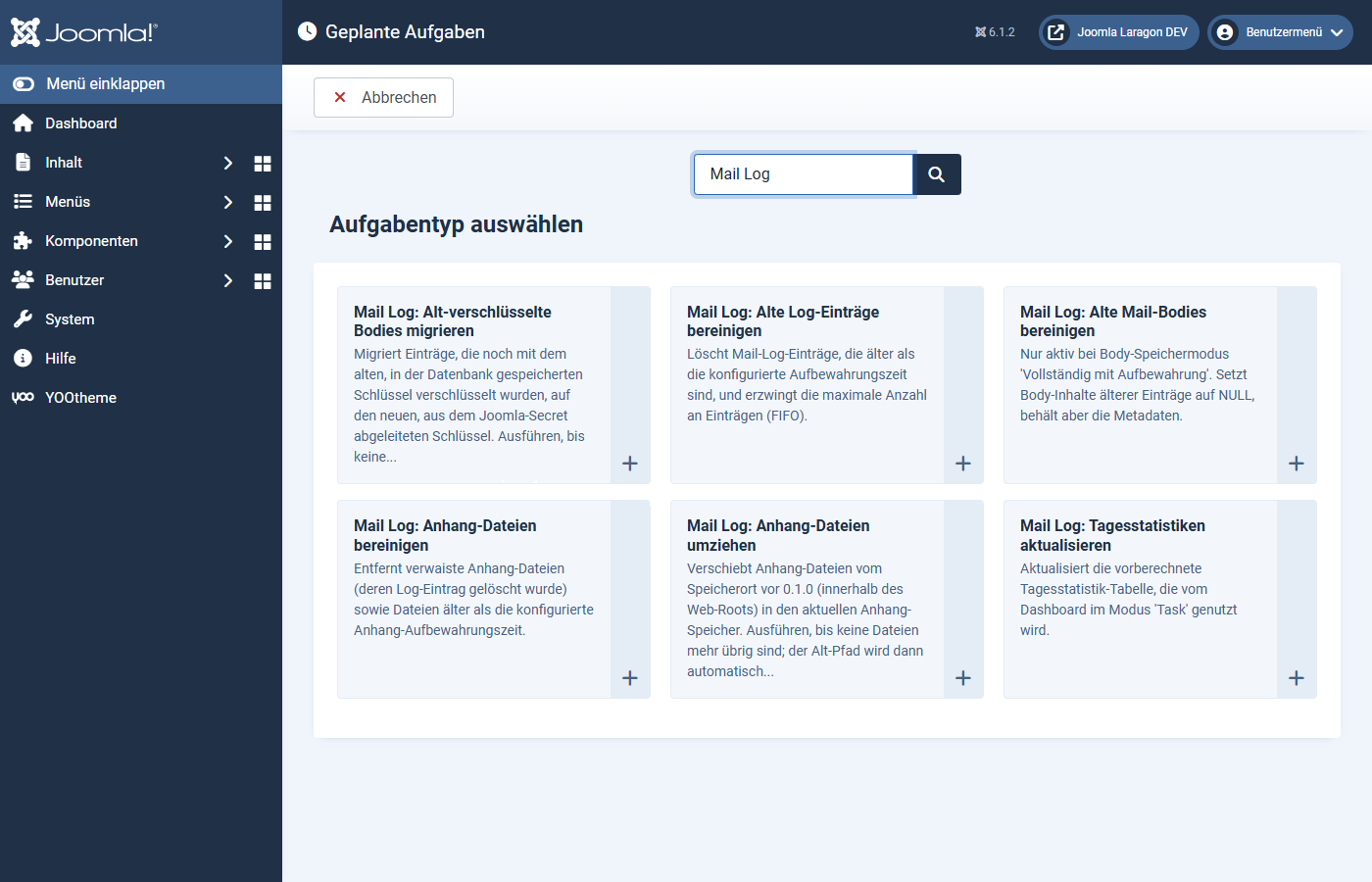
The task types
| Task | Purpose |
|---|---|
| Clean up old log entries | Deletes entries older than the configured retention and enforces the maximum number of entries (FIFO). Batched, so that even large tables are processed gently. |
| Clean up attachment files | Removes orphaned attachment files (whose entry was deleted) and files older than the attachment retention. |
| Update daily statistics | Maintains the pre-aggregated daily figures for the dashboard. Only needed if you have set the statistics mode to task. |
| Clean up old mail bodies | Resets the text of old entries and keeps only the metadata. Only effective with the storage mode "full, deleted automatically after N days". |
| Migrate legacy-encrypted bodies | A one-off conversion: re-encrypts entries from an earlier version to the current method and removes the old key once nothing depends on it any more. Run it until no legacy entries are reported. |
| Move attachment files | A one-off conversion: moves attachments from an old storage location (inside the web root) to the safe default location. Run it until no files are left. |
Recommendation for regular operation
For most websites two daily tasks are enough:
- Clean up old log entries — keeps the table within bounds.
- Clean up attachment files — only needed if you capture attachments.
The two migration tasks (migrate legacy-encrypted bodies, move attachment files) are only needed if you updated from a very early version. Once the migration is done you can disable or delete them. Update daily statistics and clean up old mail bodies only make sense with the matching settings.
All cleanup tasks work in blocks and with clear upper limits, so that they do not overload the server even with very large data sets.
Applies to version 1.0.4.