
Free version and Pro version
Mail Log comes in two versions: the Free version and the Pro version. Both are built from the same source and are updated the same way — they differ only in which features are unlocked.
The split follows one sentence: What was sent? is answered by the Free version. Does it arrive? is answered by the Pro version.
What each version does
| Feature | Free version | Pro version |
|---|---|---|
| Logging of every sent e-mail, including a complete outage of the outgoing mail server | yes | yes |
| Dashboard, log list, detail view, Message-ID | yes | yes |
| Resending, CSV export, raw message download | yes | yes |
| Encryption, masking, retention rules, log and display rules | yes | yes |
| Notification when delivery fails | yes | yes |
| Domain health: status panel on the dashboard | yes | yes |
| Automatic retrying of failed sends | — | yes |
| Backup send route: a second way out when the first one fails | — | yes |
| Rule-based send routes: particular messages over a different server | — | yes |
| Periodic report by e-mail | — | yes |
| Second alert channel over a web address | — | yes |
| Domain health: what to do about each finding | — | yes |
| Domain health: several domains | — | yes |
| Domain health: alert when a check starts failing | — | yes |
| Return channel: fetch and sort bounce reports | — | yes |
| Suppression list: dead addresses are no longer written to | — | yes |
| Undeliverable rate on the dashboard, badge in the log list | — | yes |
The Free version is not cut down by the existence of the Pro version. Everything you use in the Free version today stays exactly as it is — the Pro version only adds.
How to tell which version you have
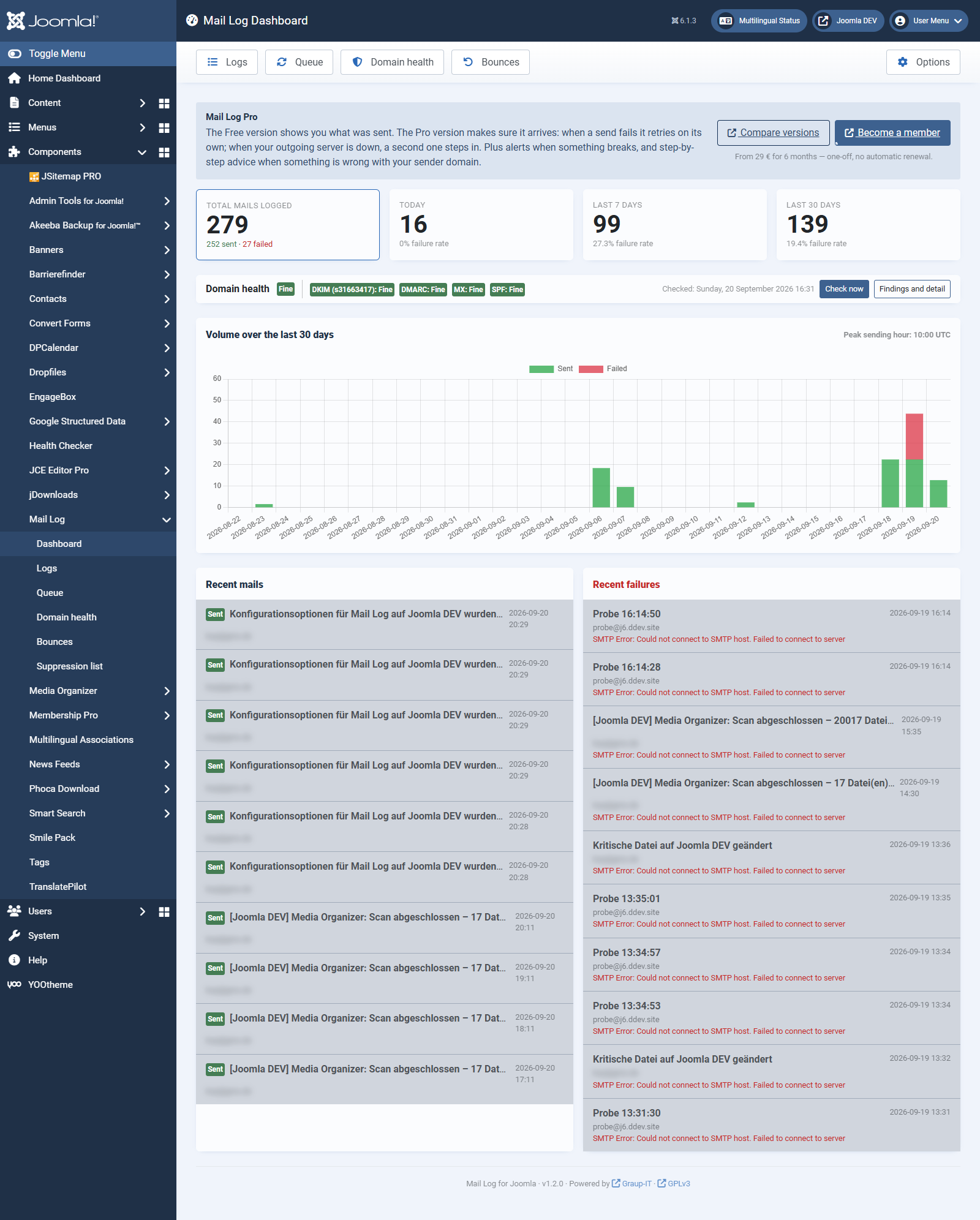
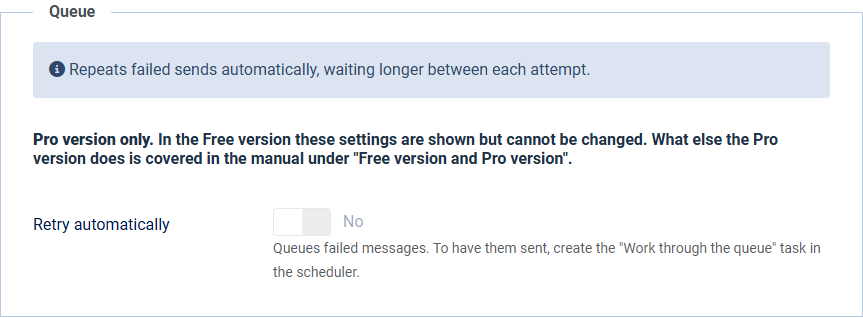
Open Mail Log → Queue. If you see a list, you have the Pro version. If you see a short explanation of what the queue does instead, the Free version is installed.
Moving from the Free version to the Pro version
- Download the Pro version from your customer account on graup-it.de.
- In Joomla, upload the package file under System → Install extensions.
- That is all. Joomla recognises the existing installation and updates it — your logs, settings and permissions are kept in full.
The update source is switched over automatically, so from then on you receive updates of the Pro version. Your download key stays the same.
Back to the Free version
The way back works the same: install the Free version over the Pro version and it becomes the Free version again. Your log entries are kept in full.
What happens to the features of the Pro version:
- Messages waiting in the queue are not deleted. They stay where they are and simply stop being worked through. Install the Pro version again later and they carry on; otherwise the retention period clears them out eventually.
- Your settings are kept, including those of the Pro version. You still see the fields concerned in the options, but you can no longer change them. That is deliberate: a field you can operate that then does nothing is worse than a locked one. Move back to the full version and everything stands as you set it up.
- The queue rule set is hidden, not deleted. It is the one setting that cannot be locked technically, so in the Free version it disappears altogether. It is still stored.
- Bounces and the suppression list stay stored. The mailbox is no longer fetched and the two screens show an explanation instead of the lists; the data sits there unchanged and is available again after moving back.
- DMARC reports and your verdicts about the sources stay too. Only no new ones are added.
One exception: the privacy plugin stays installed and active. When you move down, Joomla does not remove parts that no longer belong to the new package. GDPR information and erasure requests therefore keep covering the mail log.
That is left as it is on purpose: a privacy feature that switches itself off quietly leaves a gap nobody notices — and that gap is exactly what it was built against. If you do want it gone, uninstall the Privacy – Mail Log plugin by hand in the extension manager.