
Download key and updates
Mail Log receives updates through the official Joomla update mechanism. To allow your website to fetch them, enter your personal download key once.
Entering the download key
- Create your download key in your customer account on graup-it.de (menu item Download IDs). One key applies per website and covers all extensions obtained through it.
- In the backend, open System → Update → Update Sites.
- Open the entry Mail Log Update Site and enter the key into the field Download Key.
- Save.
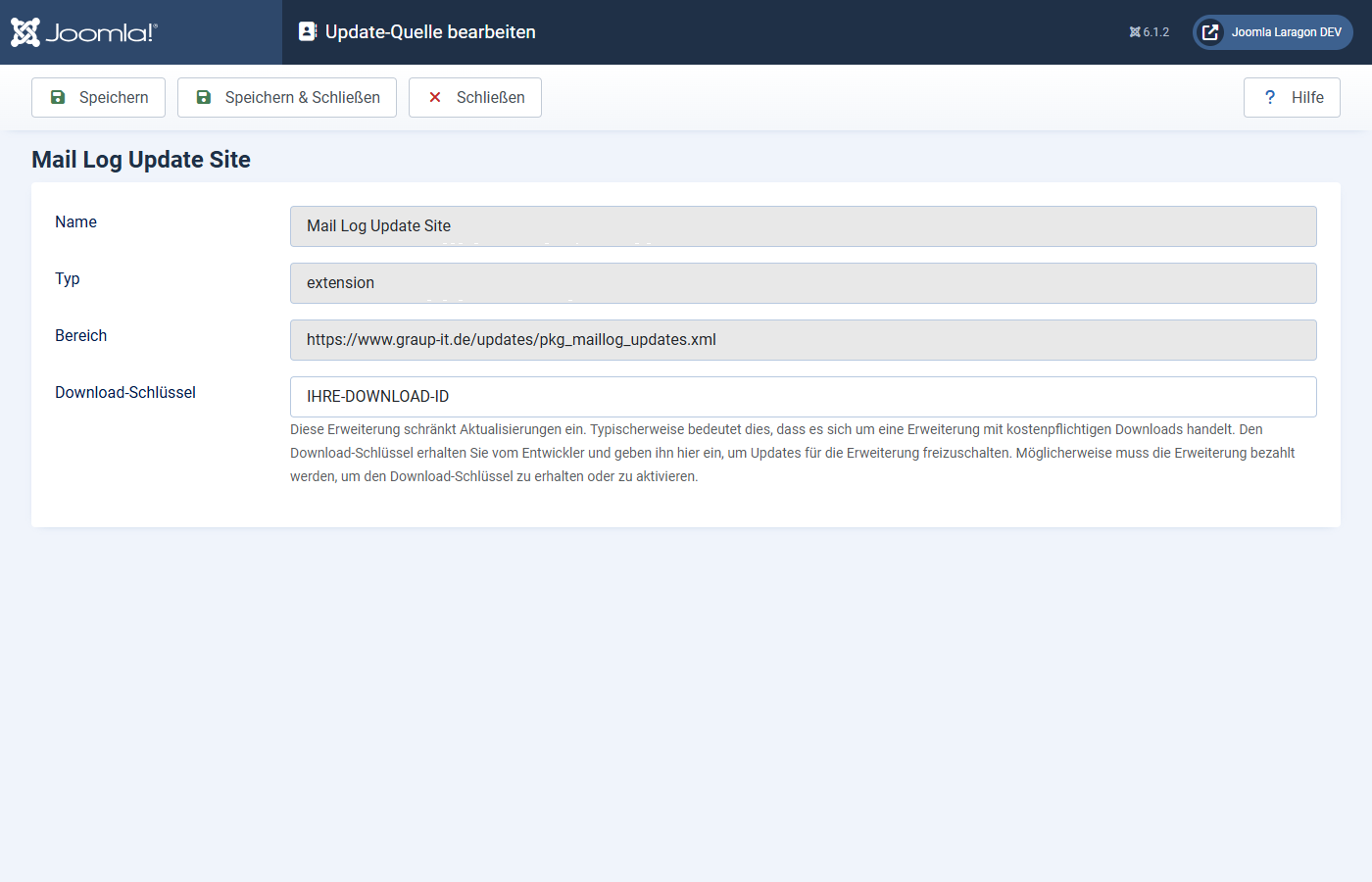
Make sure to paste the key without leading or trailing spaces. A space copied along with it makes the update fail with an error message ("URL rejected" or "Package download failed").
Installing updates
- Open System → Update → Extensions.
- If a new version is available, Mail Log appears in the list. Select it and click Update.
- Joomla downloads the package using your download key, verifies the checksum and installs the new version.
If Joomla finds no update although a new version exists, click Check for Updates first to refresh the cache.
The manual route
You can also install any version by hand: download the ZIP and install it via System → Install → Extensions, just like the first installation. An update through the package overwrites the existing installation and keeps your settings and log data.
Applies to version 1.0.4.