
DKIM signing (Pro)
WirdPro synchronisiertversion. This feature belongs to the Pro version of Mail Log. What the
Free version does is described under Free version and Pro version.
A DKIM signature is a seal on your outgoing mail: it lets the receiver check that the message really comes from your domain and was not altered on the way. Mail Log can apply that seal — for installations whose sending path does not do it itself.
First check whether you need this. Most mail providers and all sending services already sign. Look at Domain health: if a DKIM record is found there, somebody is signing — then leave this feature off. Signing twice is allowed, but it gains nothing and makes the next key change error-prone.
The order is the actual feature
Four steps, and they belong in exactly this order:
maillog._domainkey.your-domain.com and a long value starting with
v=DKIM1; k=rsa; p=…. Type: TXT. You enter that at your domain provider, or forward
it to their support.
Have it verified. The button Check publication looks the record up
and compares it with the stored key. Only when it says “matches” is everything ready.
After publishing, this can take up to a day.
Switch it on. Only now set Sign outgoing messages to
Yes.
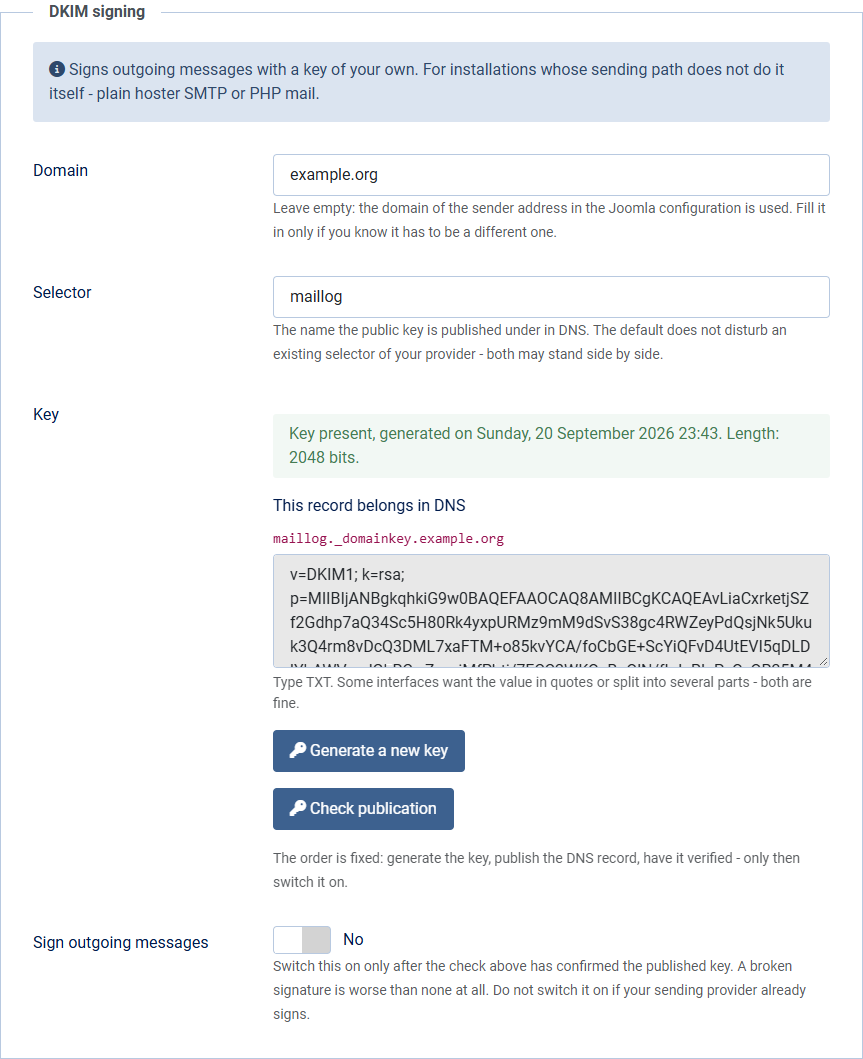
Why not switch it on right away? A signature whose key cannot be found in DNS is worse than none at all: the receiver then sees a failed check instead of no check — and a failed check is exactly the marker spam filters use to recognise forgeries.
The two fields above
maillog is the default
and does not disturb an existing selector of your provider — several selectors may stand
side by side.
Where the key lives
As a file below your Joomla installation's log directory
(…/com_maillog/dkim/), readable only by the web server user and
encrypted — with the same method as your stored credentials, derived from the
secret in your Joomla configuration.
Why encrypted, when the file is protected anyway? Joomla's default log
directory is administrator/logs — right inside the web directory. Mail Log puts
blocking files there, but those only work on Apache; on an nginx server they do nothing. While
checking this version, the key really was retrievable that way on the test instance. Encrypted,
it still is — but the content is worthless: without your configuration.php, which
no web server hands out, it cannot be deciphered.
If your host allows a log directory outside the web directory, that is still the better setting (System → Global Configuration → Server → Path to Log Folder).
If your Joomla secret is renewed, the DKIM key can no longer be deciphered. Mail Log then stops signing — silently, and without disturbing the sending. Generate a new key in that case and publish the new DNS record.
When moving to another server the file does not travel automatically if you only transfer the database and the web directory. Either generate a new key in the new place and publish the new record — or copy the file along.
Generating a new key
How you can tell it works
DKIM-Signature: header with your
domain.
What happens if something is missing? If the key, the domain or the selector is missing, Mail Log does not sign — silently, and the mail goes out as before. A logger must not prevent sending, and that holds for the one feature that reaches into the sending path too.