
Upload on the website (Pro)
WirdPro synchronisiertversion. …This feature is part of the Pro version of Fileshelf. What the Free version does is
covered under Free version and Pro version.
Logged-in visitors upload files on the website, for example dealers their documents. Every upload waits unpublished until you have checked and approved it.
Setting up
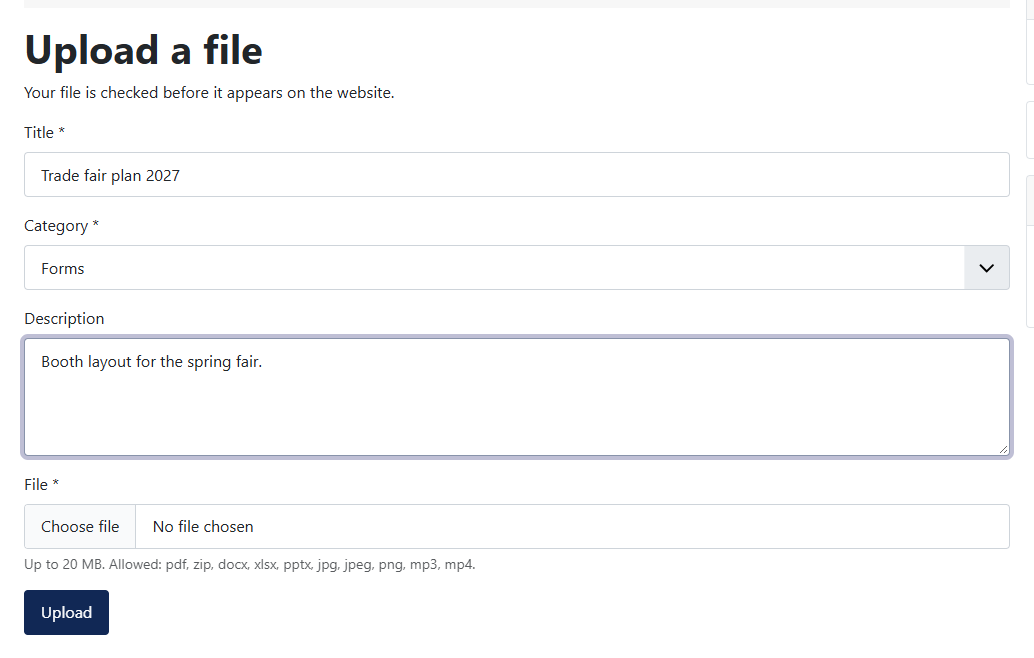
The form only offers categories the visitor may upload to. Whoever has the permission nowhere sees a note instead of the form; guests go to the login.
What is checked
Every file runs through the same checks as in the backend: allowed file types, no executable content, Joomla's own checks. Images (JPG, PNG, GIF, WebP) are saved anew, so that nothing but the picture is kept. In the plugin Fileshelf - Upload on the website you set the largest file (default 20 MB) and the number of uploads per user and hour (default 5).
Checking and approving
Until it is approved, the file lies in a folder of its own in the storage; Fileshelf never delivers it from there, not even if someone publishes the download by hand. You find the waiting uploads on the dashboard under Check uploads (permission “Edit State”). There you look at the file and decide:
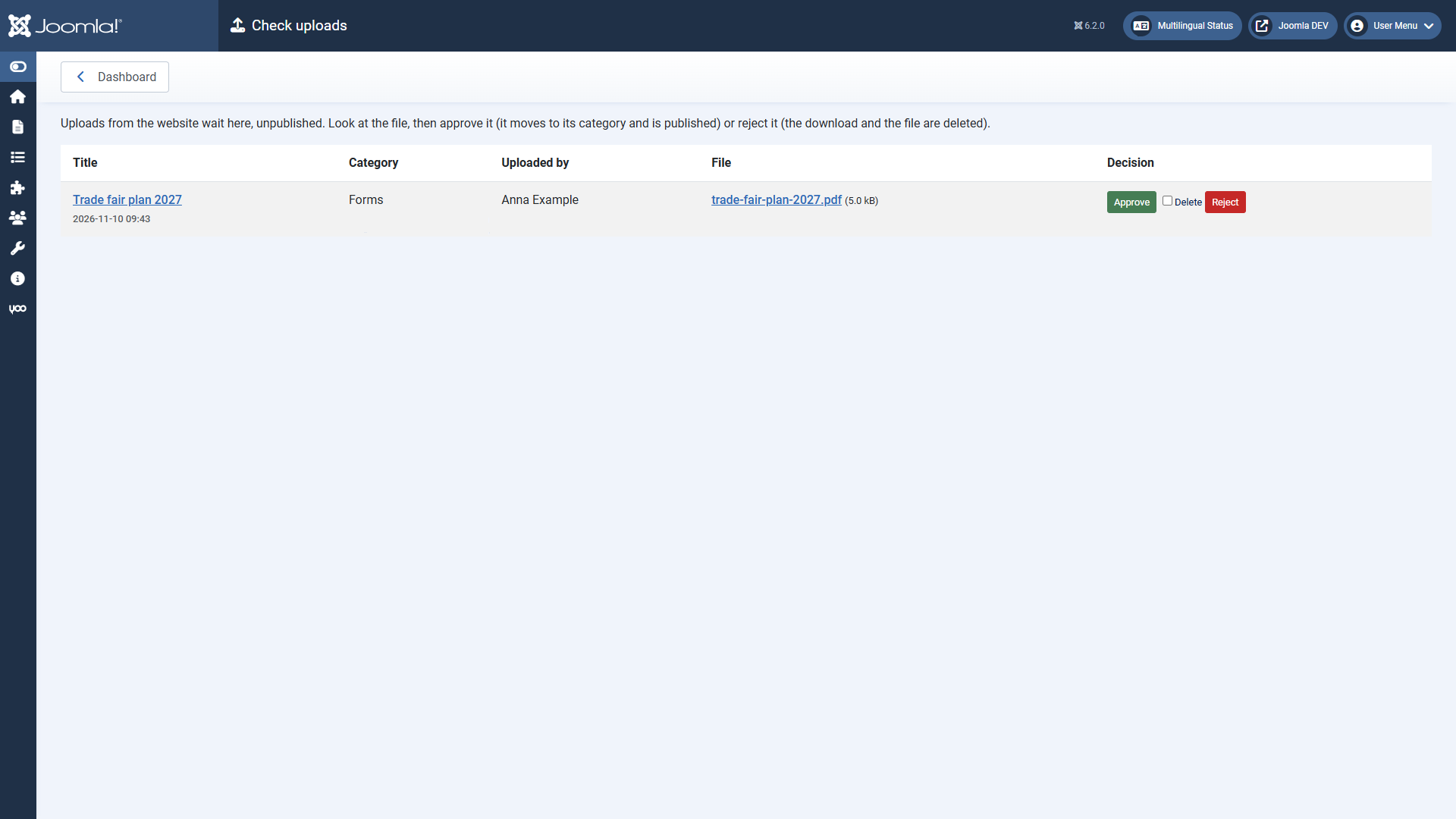
If you enter addresses under Tell about new uploads in the plugin, they get a mail about every new upload. The mails are sent by the scheduled task Fileshelf - Send notifications.