
Shortcodes in articles
WirdWith synchronisiertshortcodes you place downloads in articles, modules and every other text that runs through the
content plugins. The easiest way is the button Download in the editor (see Editor
button); you can also write them by hand.
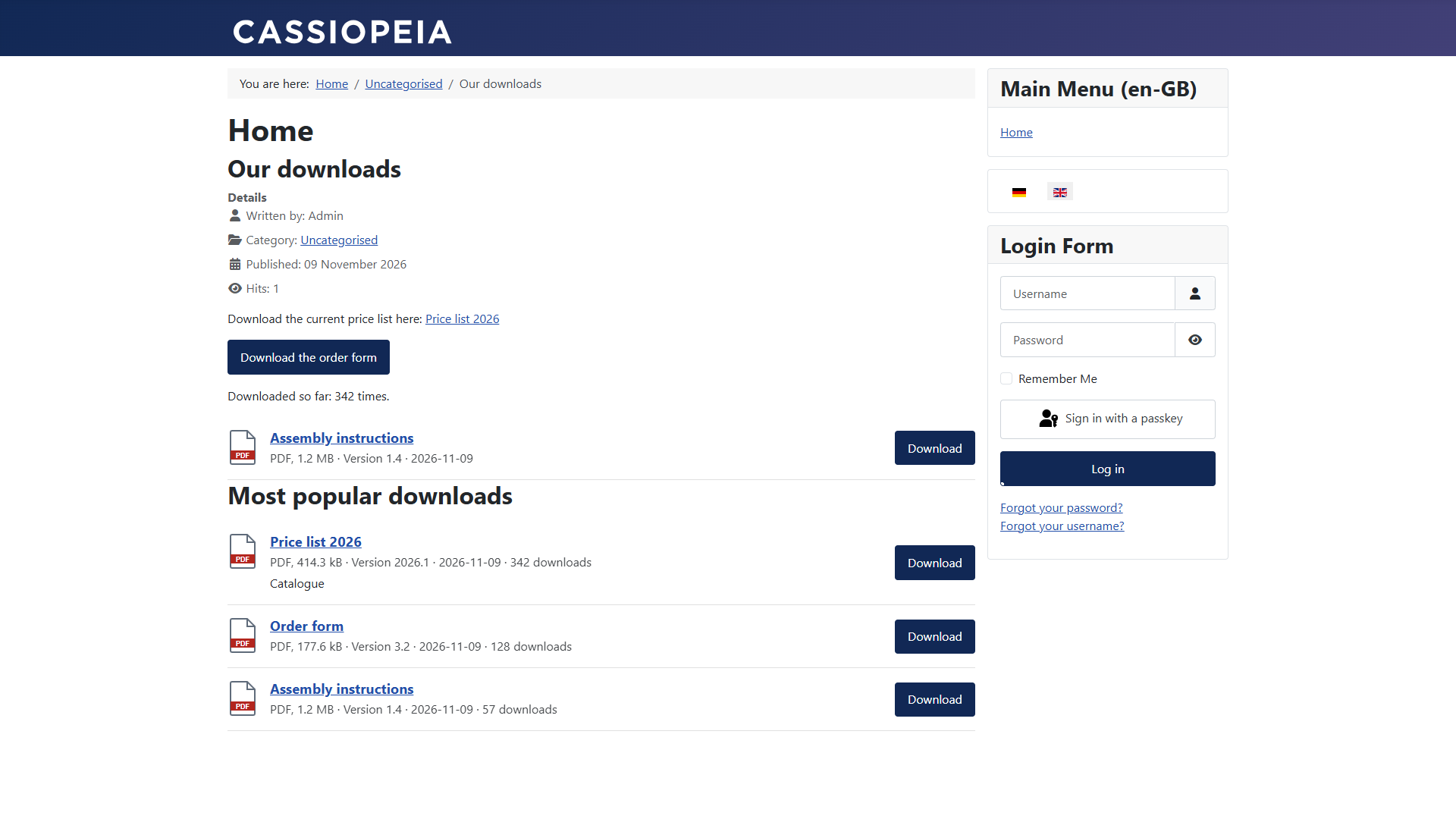
The forms
{fileshelf id=12}Link with the title of the download
{fileshelf id=12 text="Get the form"}Link with your own text
{fileshelf id=12 button}Button
{fileshelf id=12 button class="uk-button uk-button-primary"}Button with your own CSS classes
{fileshelf id=12 count}Only the number of times the download was fetched
{fileshelf cat=3}List of the downloads of a category (main or additional)
{fileshelf cat=3 layout=cards limit=5 order=popular}Cards, at most 5, most popular first
{fsh …} is the short form of {fileshelf …}. order knows
title (default), rtitle, newest, oldest,
popular and ordering; limit goes up to 100.
What visitors see
A list that stands alone in a paragraph replaces the paragraph. So write {fileshelf cat=…}
on a line of its own.