
Options and permissions
You reach the options with the button Options on the dashboard and in the list of downloads.
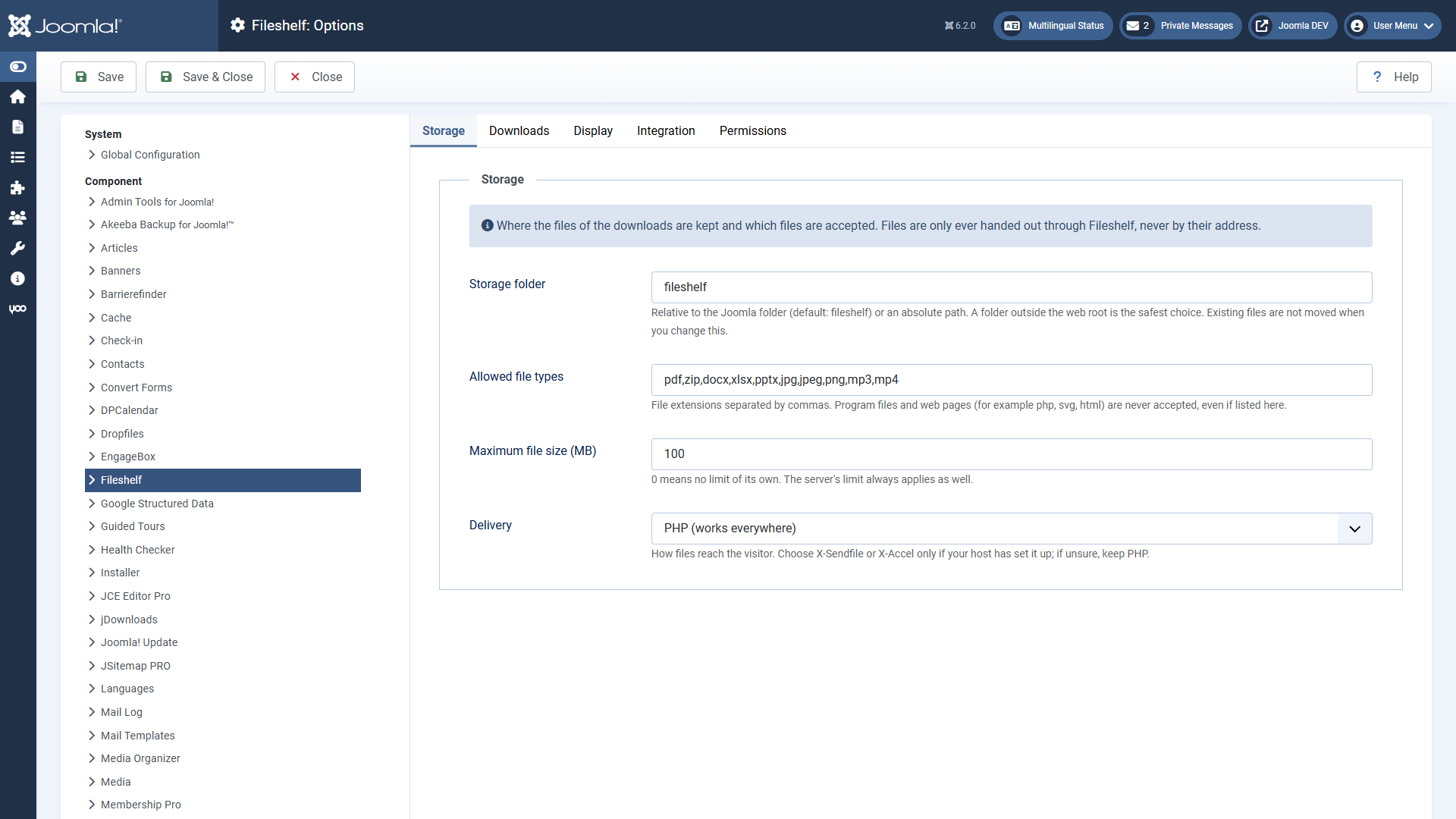
Storage
| Option | Default | Meaning |
|---|---|---|
| Storage folder | fileshelf | Relative to the Joomla folder or an absolute path. Safest outside the web directory. |
| Allowed file types | pdf, zip, docx, xlsx, pptx, jpg, jpeg, png, mp3, mp4 | Extensions, separated by commas. Programs and web pages are never accepted. |
Downloads
| Option | Default | Meaning |
|---|---|---|
| Access through additional categories | Main category only | “Strictest”: the access levels of the additional categories must allow it as well. |
| Password valid for (minutes) | 120 | 0: until the browser session ends. |
| Versions | Yes, 10 | Version history of the downloads as with articles. |
Display
Layout (list with category tree, cards, table), search and sorting, and which details the lists show: file type and size, version, date, number of downloads, tags – and whether locked downloads appear with a lock. Menu items and the module can choose each detail differently. Checksum shows the SHA-256 checksum of the file on the page of a download (default: off). Category Image shows the category's image at the top of the category and in the overview (default: on); Category image layout puts it beside the text (default, never cropped) or as a banner across the full width. Heading of the overview and Introduction of the overview stand above the categories of the download overview; a menu item can override both (see Downloads on the website).
Appearance
How Fileshelf fits into your template (see Fitting your template). Left empty, the colours and corners of the template apply.
- Load the Fileshelf stylesheet – “No” for templates that style Fileshelf themselves. Then the arrangement of grids and spacing is missing too.
- Accent colour – for buttons, markers and, if it reads well on white, links. Fileshelf picks light or dark text on buttons itself.
- Corners – as the template, square or rounded.
Integration
Remove IDs from URLs (default: yes) and Enable custom fields as with articles.
Permissions
Permissions follow the pattern of articles and are inherited from the component through the category to the download: create, edit, edit own, edit state, delete. In addition:
- Download in the backend – allows fetching a file in the backend without it being counted.
- View statistics – shows the download statistics of the Pro version (page, tab, tile). In the Free version it has no effect; it is there so the setting survives a switch.
- Upload on the website – allows uploading files into the category through the page “Upload a file” of the Pro version; they wait for approval. This permission is in the Free version, too.
Who may download on the website is decided by access levels (and a password, if any), not by permissions. The tools require the permission “Configure ACL & Options”.