
Options and permissions
You reach the options with the button Options on the dashboard and in the list of downloads.
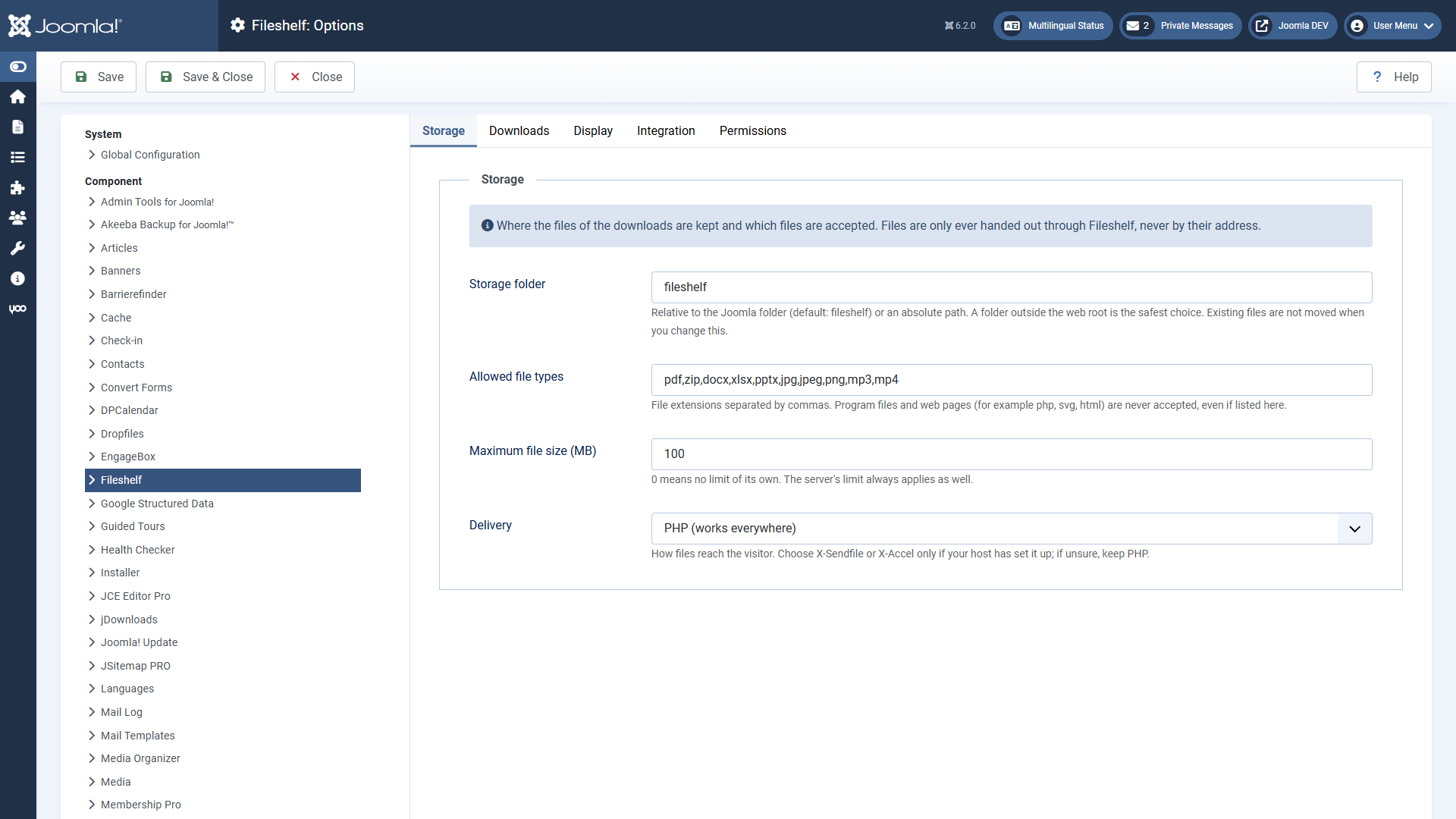
Storage
| Option | Default | Meaning |
|---|---|---|
| Storage folder | fileshelf | Relative to the Joomla folder or an absolute path. Safest outside the web directory. |
| Allowed file types | pdf, zip, docx, xlsx, pptx, jpg, jpeg, png, mp3, mp4 | Extensions, separated by commas. Programs and web pages are never accepted. |
| Maximum file size (MB) | 100 | 0: no limit of its own. The server's limit always applies. |
| Delivery | PHP | PHP, X-Sendfile or X-Accel-Redirect (see Storage folder and self-test) |
Downloads
| Option | Default | Meaning |
|---|---|---|
| Access through additional categories | Main category only | “Strictest”: the access levels of the additional categories must allow it as well. |
| Password valid for (minutes) | 120 | 0: until the browser session ends. |
| Versions | Yes, 10 | Version history of the downloads as with articles. |
Display
Layout (list with category tree, cards, table), search and sorting, and which details the lists show: file type and size, version, date, number of downloads, tags – and whether locked downloads appear with a lock. Menu items and the module can choose each detail differently.
Integration
Remove IDs from URLs (default: yes) and Enable custom fields as with articles.
Permissions
Permissions follow the pattern of articles and are inherited from the component through the category to the download: create, edit, edit own, edit state, delete. In addition:
- Download in the backend – allows fetching a file in the backend without it being counted.
- View statistics – shows the download statistics of the Pro version (page, tab, tile). In the Free version it has no effect; it is there so the setting survives a switch.
- Upload on the website – allows uploading files into the category through the page “Upload a file” of the Pro version; they wait for approval. This permission is in the Free version, too.
Who may download on the website is decided by access levels (and a password, if any), not by permissions. The tools require the permission “Configure ACL & Options”.