
Memberships with Membership Pro (Pro)
Pro version. This feature is part of the Pro version of Fileshelf. What the Free version does is covered under Free version and Pro version.
With Membership Pro you sell memberships; Fileshelf binds downloads and categories to their plans. Members with a matching active plan download, everyone else is shown the way there: to the login, the subscription or the renewal. The bridge is tested with Membership Pro 4.7.1.
Assigning plans
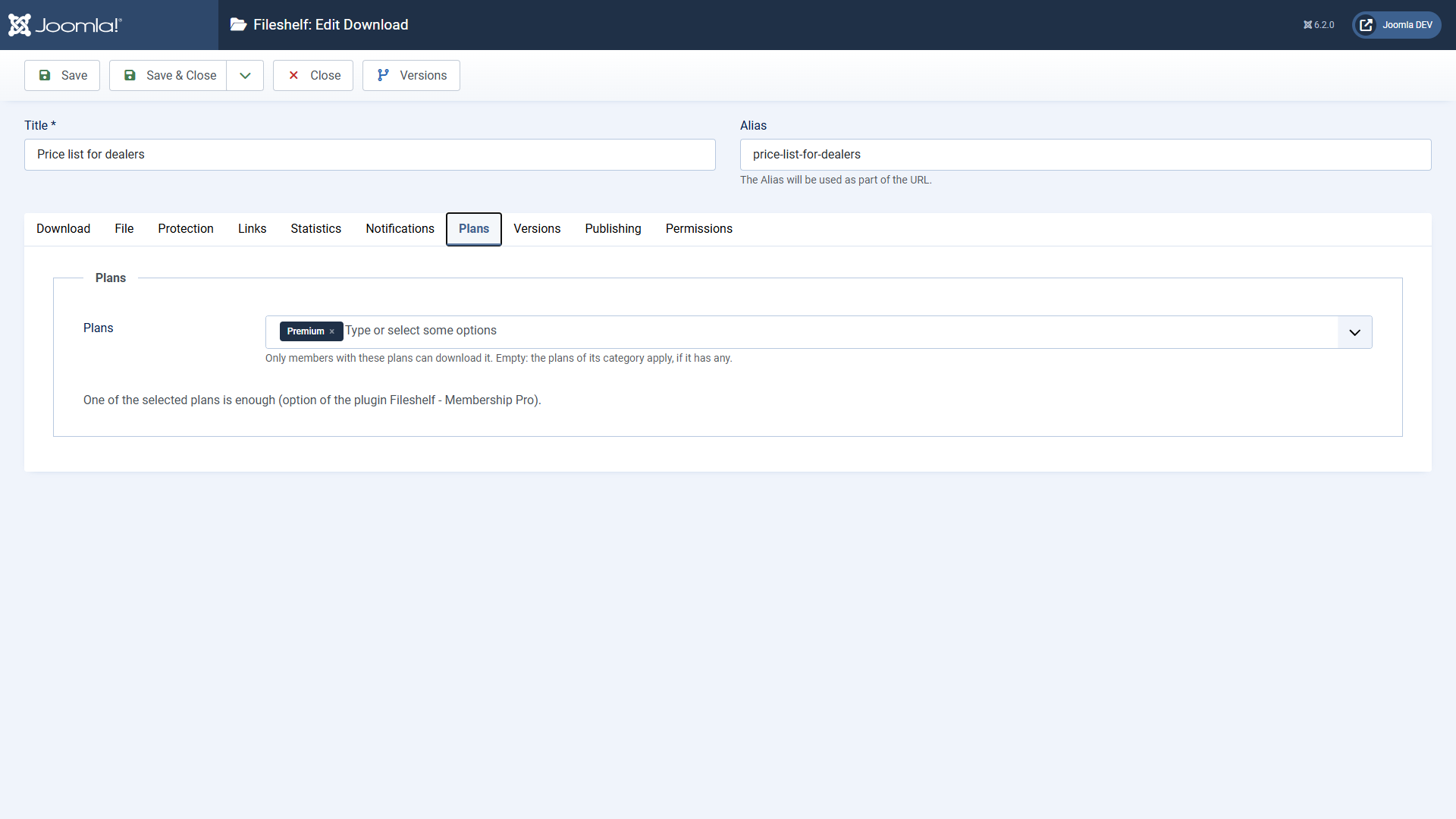
You choose the plans in the download (tab Access, section Plans) and in the category (tab Plans). One or more are possible. Which plans apply:
- the plans of the download, if it has its own;
- otherwise the plans of the main category – or of the nearest one above it, because a category also covers its subcategories;
- otherwise the plans of the first additional category that has some.
Without plans a download needs no membership. With several plans one of them is enough; in the plugin Fileshelf - Membership Pro you can switch to “All plans are needed”.
What visitors see
- Guests see a lock with the name of the plan and go to the login.
- Members without the plan go to the subscription of the plan in Membership Pro.
- Members whose plan has run out go to the renewal.
A link of the Pro version (single-use or expiring link) opens a download without a plan, too – whoever hands out the link decides.
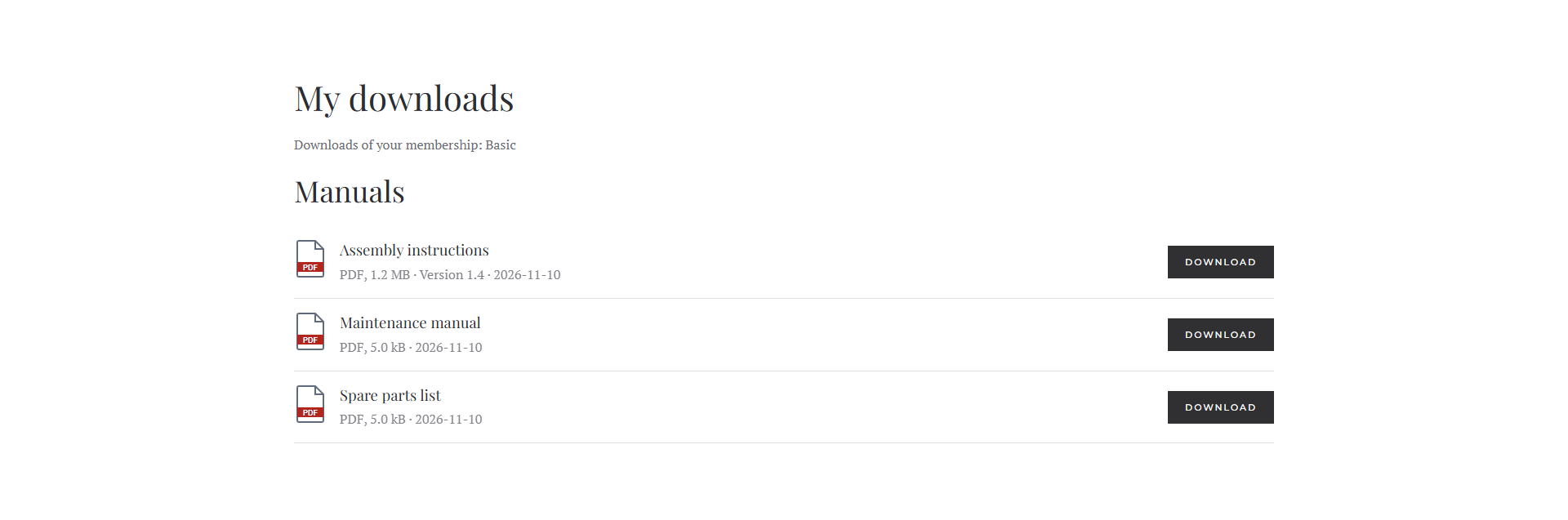
My downloads
Welcome mail
If you like, a member gets a mail as soon as their membership becomes active – with the downloads it opens and a link to “My downloads”. Switch on the Welcome mail in the plugin Fileshelf - Membership Pro. The mails are sent by the scheduled task Fileshelf - Send notifications; edit the text under System → Mail Templates.
When Membership Pro changes
TheWhen Membership Pro is installed, the dashboard of Fileshelf shows a tile Membership Pro. If Membership Pro is not installed or its
tables look different than expected after an update, downloads with plans stay locked – never open – and the tile
names the reason. If Membership Pro is newer than the tested version, the tile says so; plans keep working.
When Membership Pro is not installed or switched off, there is no tile. If downloads or categories still have plans, they stay locked, and the dashboard reports it under Needs your attention with a link to the extensions. The form then shows the tab Plans only for entries that still have plans.