
Download statistics (Pro)
Pro version. This feature is part of the Pro version of Fileshelf. What the Free version does is covered under Free version and Pro version.
The Pro version does not only count how often a file was fetched, it records every download: when, which file, whether it arrived complete. That is what the statistics are made of – without storing any IP address.
The page “Statistics”
Open it from the dashboard with Statistics or from the tile Downloads.
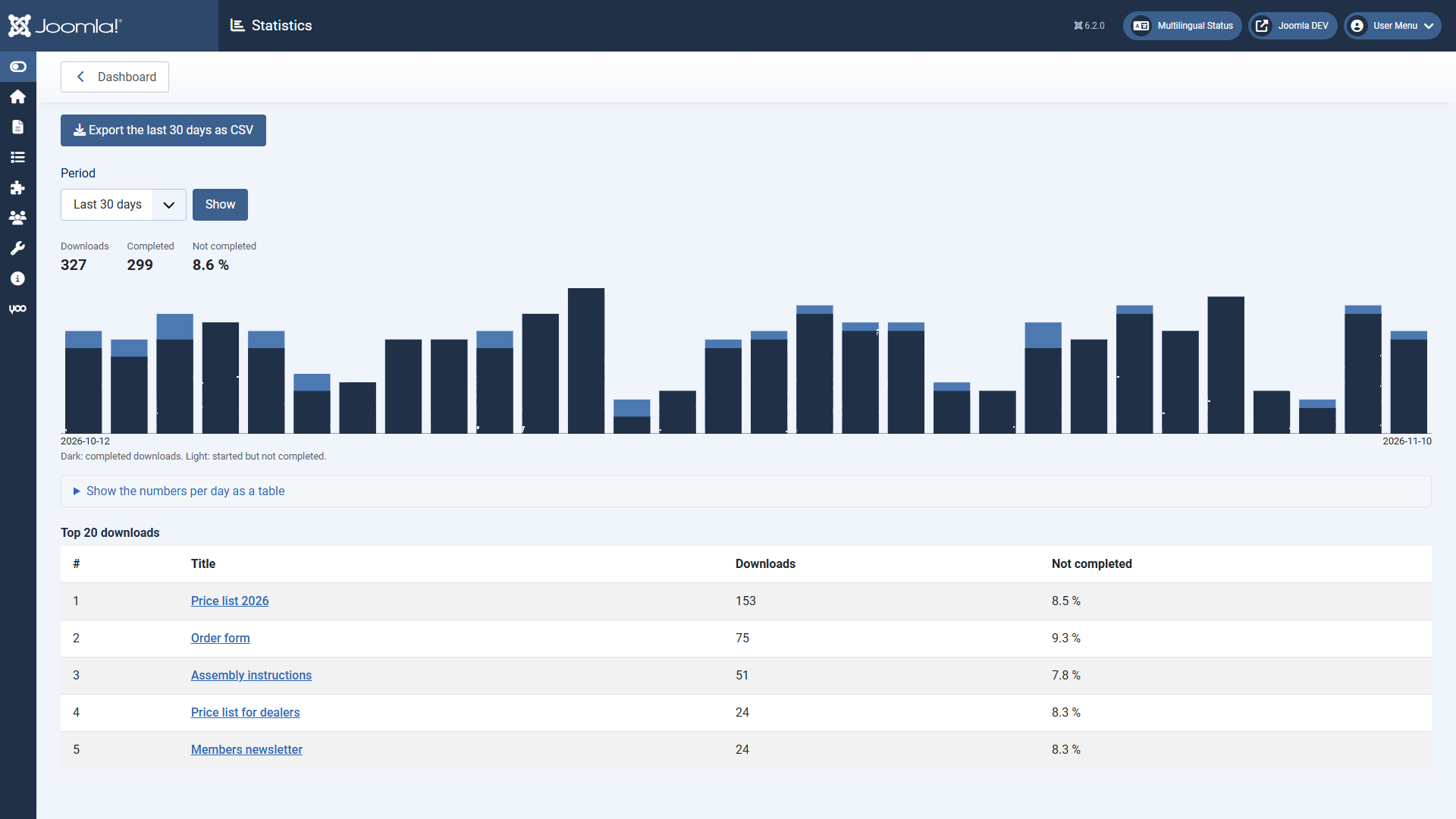
- Period: the last 30, 90 or 365 days.
- Totals: downloads, how many completed, and the share not completed – for example because someone interrupted the download.
- Chart: one bar per day. The same numbers are under Show the numbers per day as a table – for screen readers and for copying.
- The top 20 downloads of the period, with a link to each.
- CSV export of the chosen period: per day and download the number of downloads and of completed ones. The export contains no users and no addresses.
In the download and on the dashboard
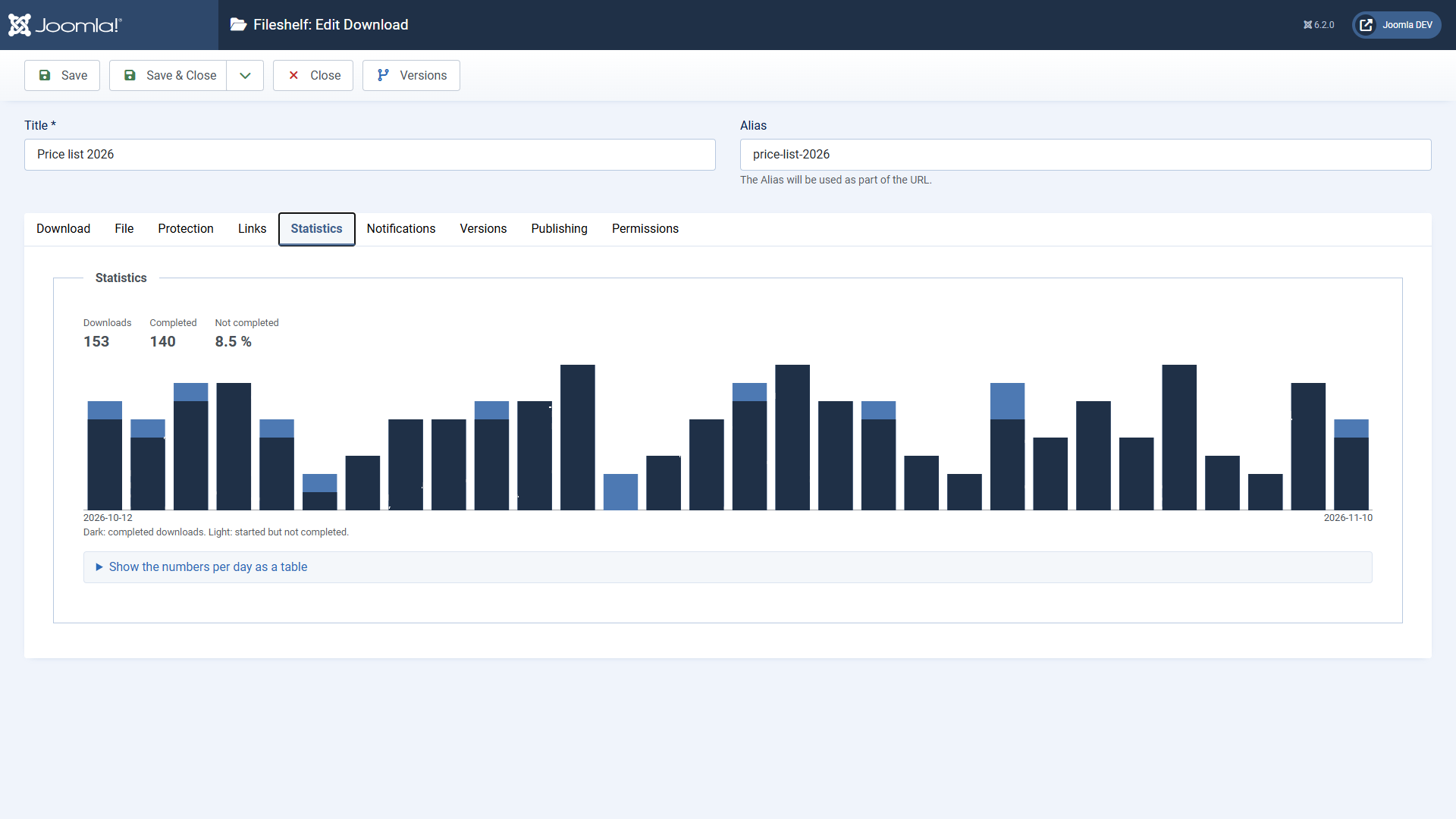
Every download has the tab Statistics with its last 30 days. The dashboard shows the tile Downloads with today and the last 7 days.
What is counted
- Every download on the website, the preview included. When a program fetches the file in parts – a browser
resumes an interrupted
download,download or a download manager fetches several pieces at once –, itiscountsnotonce,countedwithtwice.the part that holds the end of the file, or as soon as the parts together make up the whole file. - Completed means: the whole file arrived.
- Downloads in the backend are not counted.
Privacy and retention
Fileshelf stores no IP address. Instead there is a value computed from the address and a key of the day; the key is deleted the next day. Downloads of one day can be related to each other (for limits), but never to an address again. For logged-in visitors the user is stored.
FileshelfEvery keeps single downloads for 365 days. Thennight the scheduled task Fileshelf - Retention of the download log adds themup upthe downloads of
the day before per day and downloaddownload. The statistics read these daily numbers and compute only today from the single
entries – so they stay fast even with millions of downloads. If the task did not run once, the statistics compute the
missing days from the entries; they are just slower then.
Fileshelf keeps single downloads for 365 days; then the task deletes the single entries;entries in small
batches, and the statistics keep counting them.them through the daily numbers. Change the period in the task under System → Scheduled Tasks. When a download is
deleted, its entries go with it.
Who sees the statistics
The permission View statistics in the options of Fileshelf (tab Permissions). Super Users always have it.