
Download statistics (Pro)
WirdPro synchronisiertversion. …This feature is part of the Pro version of Fileshelf. What the Free version does is
covered under Free version and Pro version.
The Pro version does not only count how often a file was fetched, it records every download: when, which file, whether it arrived complete. That is what the statistics are made of – without storing any IP address.
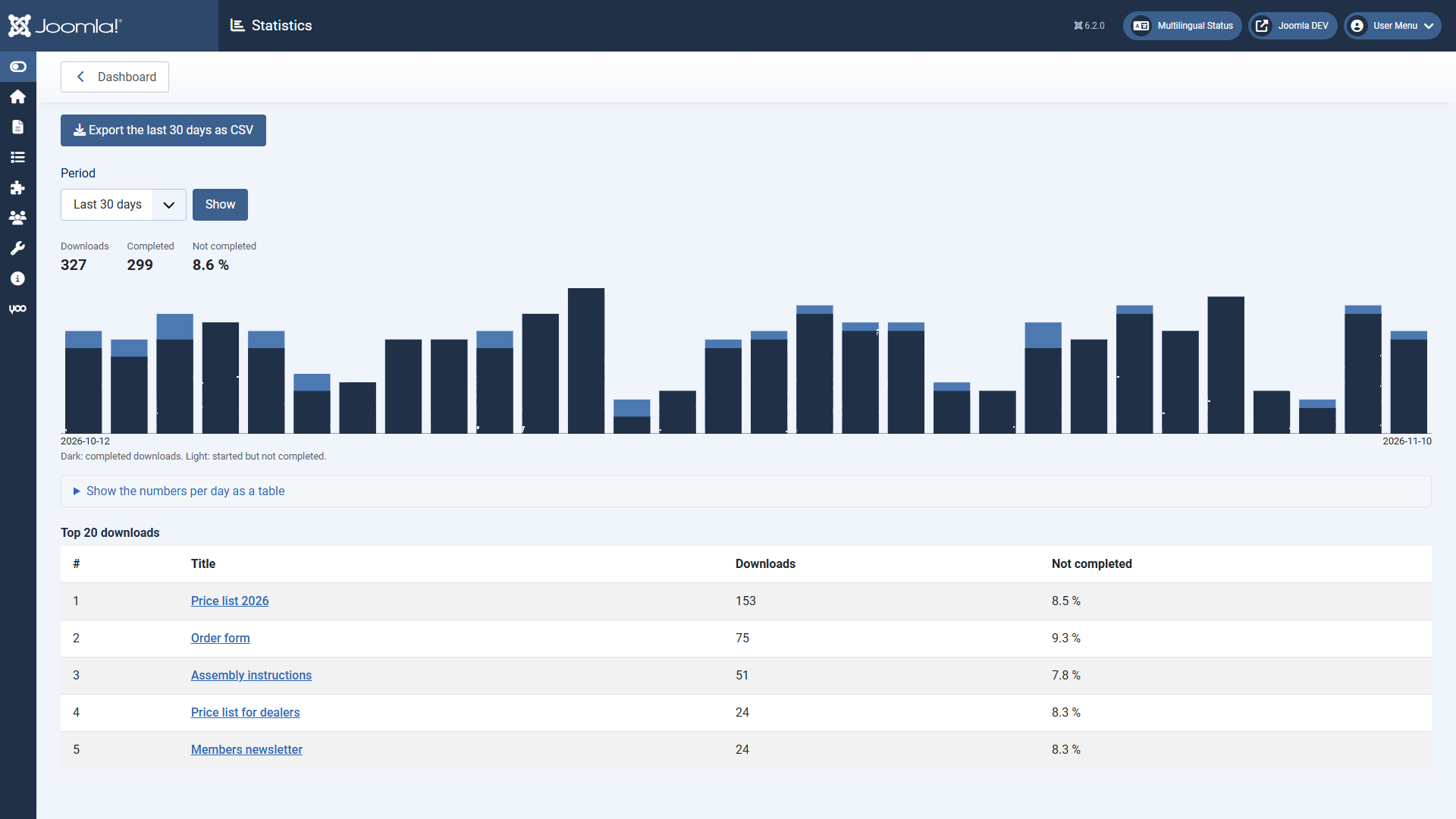
The page “Statistics”
Open it from the dashboard with Statistics or from the tile Downloads.
In the download and on the dashboard
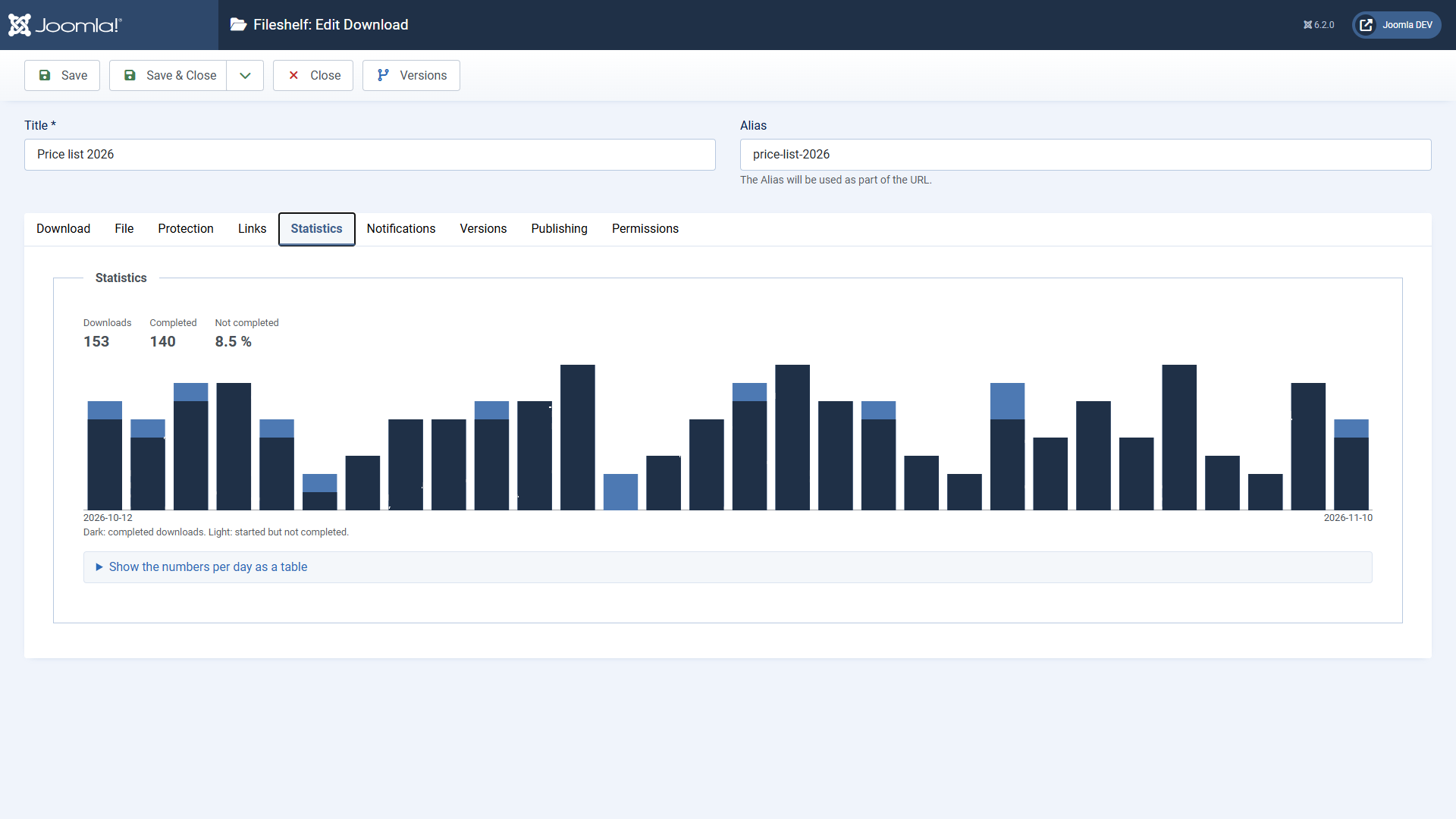
Every download has the tab Statistics with its last 30 days. The dashboard shows the tile Downloads with today and the last 7 days.
What is counted
Privacy and retention
Fileshelf stores no IP address. Instead there is a value computed from the address and a key of the day; the key is deleted the next day. Downloads of one day can be related to each other (for limits), but never to an address again. For logged-in visitors the user is stored.
Fileshelf keeps single downloads for 365 days. Then the scheduled task Fileshelf - Retention of the download log adds them up per day and download and deletes the single entries; the statistics keep counting them. Change the period in the task under System → Scheduled Tasks. When a download is deleted, its entries go with it.
Who sees the statistics
The permission View statistics in the options of Fileshelf (tab Permissions). Super Users always have it.