
Download limits (Pro)
Pro version. This feature is part of the Pro version of Fileshelf. What the Free version does is covered under Free version and Pro version.
Limits say how often visitors may download – for example ten downloads a day for registered users, or three a month for a particular file.
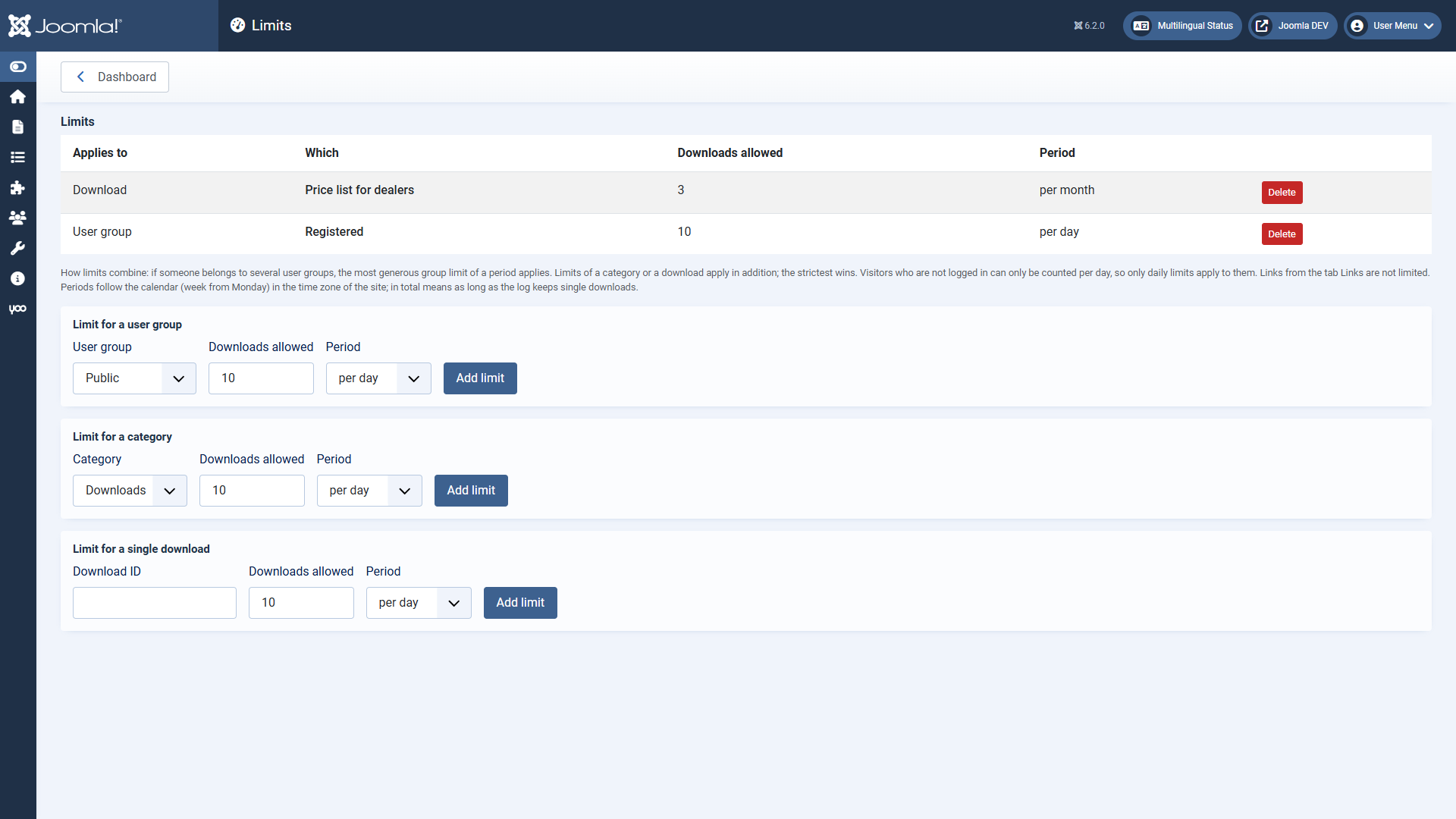
Adding a limit
On the dashboard under Limits (Super Users and administrators with the permission “Configure ACL & Options” only). There are three kinds:
- User group: counts all downloads of a user in this group.
- Category: counts the downloads of this category – as main or additional category, without subcategories.
- Single download: counts only this download (its ID is in the download list).
Each limit has the number allowed and the period: per day, per week (from Monday), per month or in total. Periods follow the calendar in the time zone of the site.
How limits combine
- If someone belongs to several user groups, the most generous group limit of a period applies. So a group “Premium” gets more than “Registered”, although its members are registered as well.
- Limits of a category or a download apply in addition; the strictest wins.
- When a limit is reached, the list shows a lock with the moment downloading is possible again.
- Visitors who are not logged in can only be counted per day, because Fileshelf stores no addresses. So only per day limits apply to them.
- In total reaches as far back as the download log keeps single downloads (default 365 days).
- Links from the tab
LinksSharing (section Links) are not limited.
In the plugin Fileshelf - Limits you choose what counts: only completed downloads (default) or every started one.