
Requirements and installation
Requirements
- Joomla: 6.0 or newer
- PHP: 8.3 or newer
- YOOtheme Pro: 4.5 or 5.x, installed and active as the site template
- Backlinkseller account with an ID of your own
The extension works without Joomla's compatibility plugin. If you have enabled it for other reasons, that does no harm — it is simply not needed here.
Installation
- Download the installation package
plg_system_backlinkseller-x.y.z.zipfrom your customer account on graup-it.de. - In the Joomla backend, open System → Install → Extensions.
- Drag the ZIP file into the upload area or select it via Browse.
On a first installation the plugin is enabled automatically. You will find it afterwards under System → Plugins as System - Backlinkseller.

After the installation an overview panel appears showing the installed version and the entry points to Getting started, Download key and Manual. After an update, the changelog takes the place of "Getting started".

If the environment does not fit — Joomla too old, PHP too old — the installation stops with a clear message instead of leaving behind an extension that silently fails later.
After the installation
- Enter your Backlinkseller ID in the plugin settings — see Plugin settings. Without it the element delivers nothing.
- Clear the YOOtheme cache: YOOtheme → Settings → Advanced → Clear Cache.
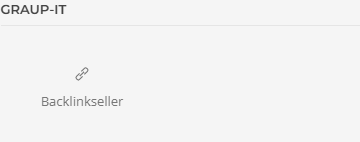
- Open a page in the builder — the element browser now shows the element
Backlinkseller under Graup-IT:
- Enter your download key for automatic updates — see Download key and updates.
Uninstalling
Uninstall the plugin via System → Manage Extensions. The extension creates no database tables of its own; nothing is left behind. Elements you have placed in the builder lose their output afterwards — remove them from the affected pages beforehand.
Applies to version 2.7.5.