
The date in the booking overview (override)
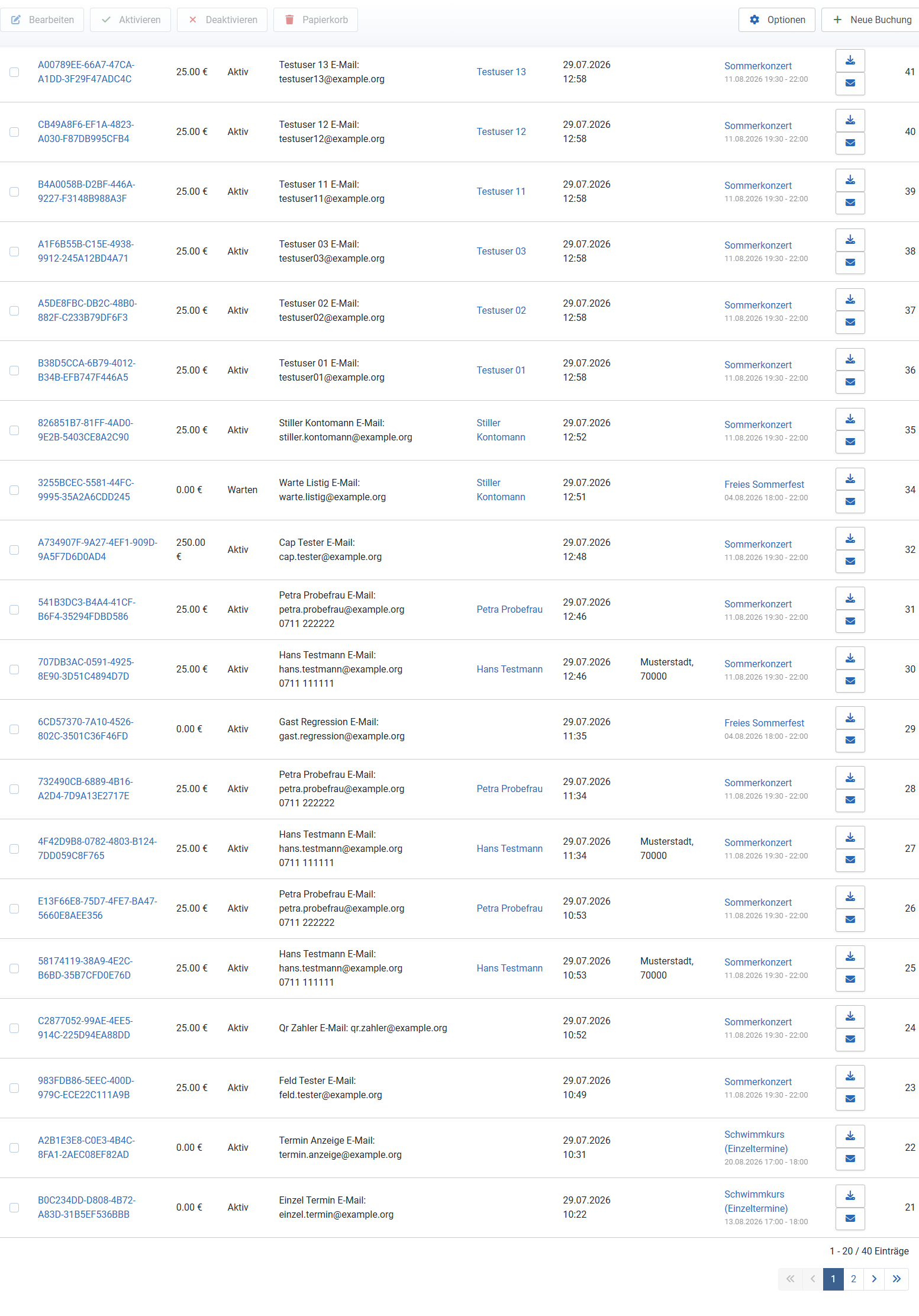
DPCalendar's booking overview shows only the title in the event column. For series booked by individual date you therefore cannot see which date was booked — that information sits in the tickets. The plugin brings a template override for this, which adds the booked date below every event link.
Set up automatically
There is nothing to do: the plugin installation places the override in the active administrator template —
administrator/templates/<your-admin-template>/html/com_dpcalendar/bookings/default_bookings.php
— and keeps it current: every plugin update refreshes the file, uninstalling the plugin removes it again (from all admin templates). After the installation simply open Components → DPCalendar → Bookings: the booked date now appears below every event title; several tickets for the same event are combined into one entry.
Your own customisations are safe: the plugin recognises its file by a marker in
the file header. If an override of the booking list of your own (without that marker) is
already in place at the target position, it is neither overwritten nor deleted — you merely get a
notice. If you then want to adopt the date, compare it by hand with the version shipped in the
plugin folder plugins/dpcalendar/backendbooking/overrides/.
Further admin templates
What gets equipped automatically is the active admin template. If you use several administrator templates or switch templates later, simply copy the file from the plugin folder there as well — or install the plugin again, which equips whichever template is then active.
After DPCalendar updates
An override is a copy of the original view. If a DPCalendar update changes the booking list, your copy still shows the old state. The override is deliberately kept minimal — only the event cell differs from the original — but still: after a DPCalendar update, briefly check that the booking list still looks as expected. For every released DPCalendar level a plugin update ships the matching override version and refreshes it automatically.
Switching the override off
You would rather have the standard booking list without the date line? Delete the file from the template folder — DPCalendar immediately shows its original view again. Note that the next plugin update will place the file there once more; alternatively, replace it with your own copy of the DPCalendar original view (without the plugin marker), which the plugin then leaves alone permanently.
Applies to version 1.0.6.