
Requirements and installation
Backend Booking is a single Joomla plugin. This page lists the requirements and describes what to do after the installation.
Requirements
| Joomla | 6.0 or newer |
| PHP | 8.2 or newer |
| DPCalendar | 10.11.x with the booking system enabled (DPCalendar Pro) |
The booking system is part of DPCalendar Pro. The free DPCalendar version has no bookings — and therefore nothing this plugin could record.
Installation
- Download the file
plg_dpcalendar_backendbooking-<version>.zip. - In the backend, open System → Install → Extensions and drag the ZIP file into the Upload Package File area.
- The plugin is enabled automatically during installation — you do not have to switch it on separately.
The installation checks beforehand whether DPCalendar is installed. If DPCalendar is missing (or older than version 10), the installation stops with a corresponding message — install DPCalendar first in that case.
The installation also sets up the template override for the DPCalendar booking overview
automatically, which shows the booked date in the list — details in the chapter
The date in the booking overview (override) .
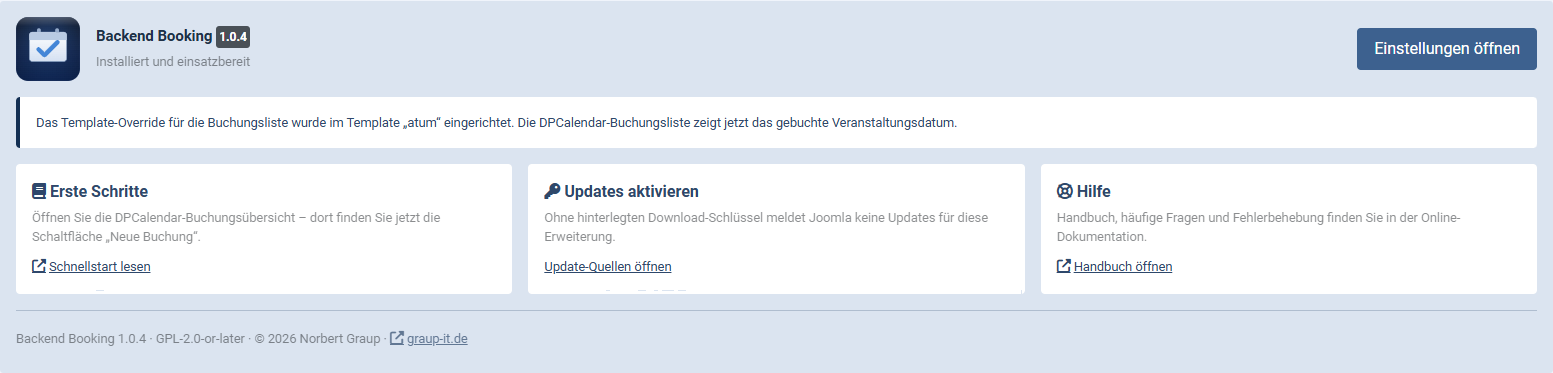
The panel after the installation names the installed version and reports in which template the override was set up. The three cards lead to the quick start, to the download key for updates, and to the manual.
After the installation: enable calendars
For safety reasons the plugin starts with no calendars enabled — backend booking is thus inactive at first. Open System → Plugins, search for DPCalendar - Backend Booking and select in the option Calendars those calendars whose events are to be bookable in the backend.
Subcalendars are not included automatically. If a subcalendar is to be bookable, select it explicitly as well.
A first check
Open Components → DPCalendar → Bookings. The toolbar now shows the button New booking. Clicking it leads to the event selection — if you see your events there, everything is set up correctly.
What is created in the database
Nothing. The plugin creates no tables of its own — all bookings, tickets and field values are stored by DPCalendar itself, exactly as with a frontend booking. If the plugin is uninstalled, every recorded booking remains.
Applies to version 1.0.6.