
Configuration and permissions
WirdAll synchronisiertsettings …are found under System → Plugins → DPCalendar - Backend Booking. This chapter
explains every option and the permissions required.
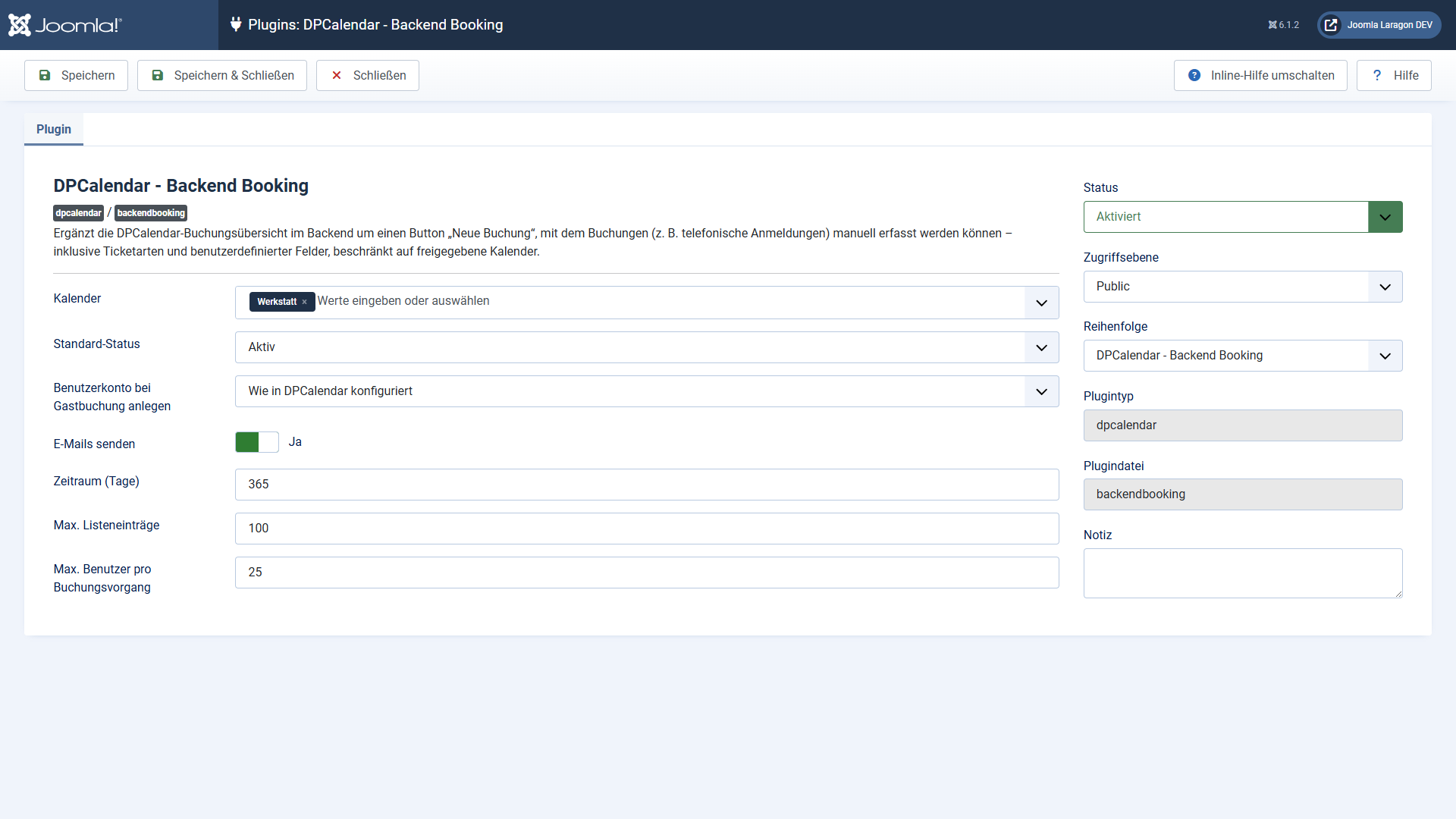
Options
max_input_vars.
Permissions
dpcalendar.admin.book. You grant it to the user group you want under Components →
DPCalendar → Options → Permissions. Super users have it automatically.
Book in the respective calendar — DPCalendar's calendar permission. It applies
per calendar and is checked in addition.
For the automatic account creation, also the Joomla right to create users
(permissions of the user manager). Without it, the booking is saved without an account and a
warning is shown.
Users without these rights do not even see the New booking button; calling the booking pages directly is refused as well.
Privacy
The plugin stores no data of its own — all recorded bookings live in the regular DPCalendar tables and are subject to their deletion and export mechanisms. The user search of the multi-user booking is available only to authorised backend users and returns name, username and email — the details the Joomla user manager shows anyway.
Applies to version 1.0.6.