
Booking several users at once
WirdIf synchronisiertseveral people with user accounts are to be booked onto the same event — a whole training group,
say — you do it in one go: select users, check the personal data per user, save. Each user gets a
separate, complete booking.
Step 1: select users
In the card Book for existing users, type at least two characters into the search field — name, username and email are searched. Select as many users as you like; each of them gets the tickets and options set above.
As soon as users are selected, the guest card is disabled (the user selection takes precedence) and the button changes to Continue to the personal data.
Use the entries as defaults: by default the next step starts with the data from the user account and profile only. Tick the checkbox in the user card if the values entered in the form (guest contact details, additional fields) should instead be pre-filled for all selected users — handy when they all share the same club or the same required field, for instance.
Step 2: personal data per user
Next comes the intermediate step personal data per user: one card per user with all booking fields — contact details and additional fields, editable individually for every person.
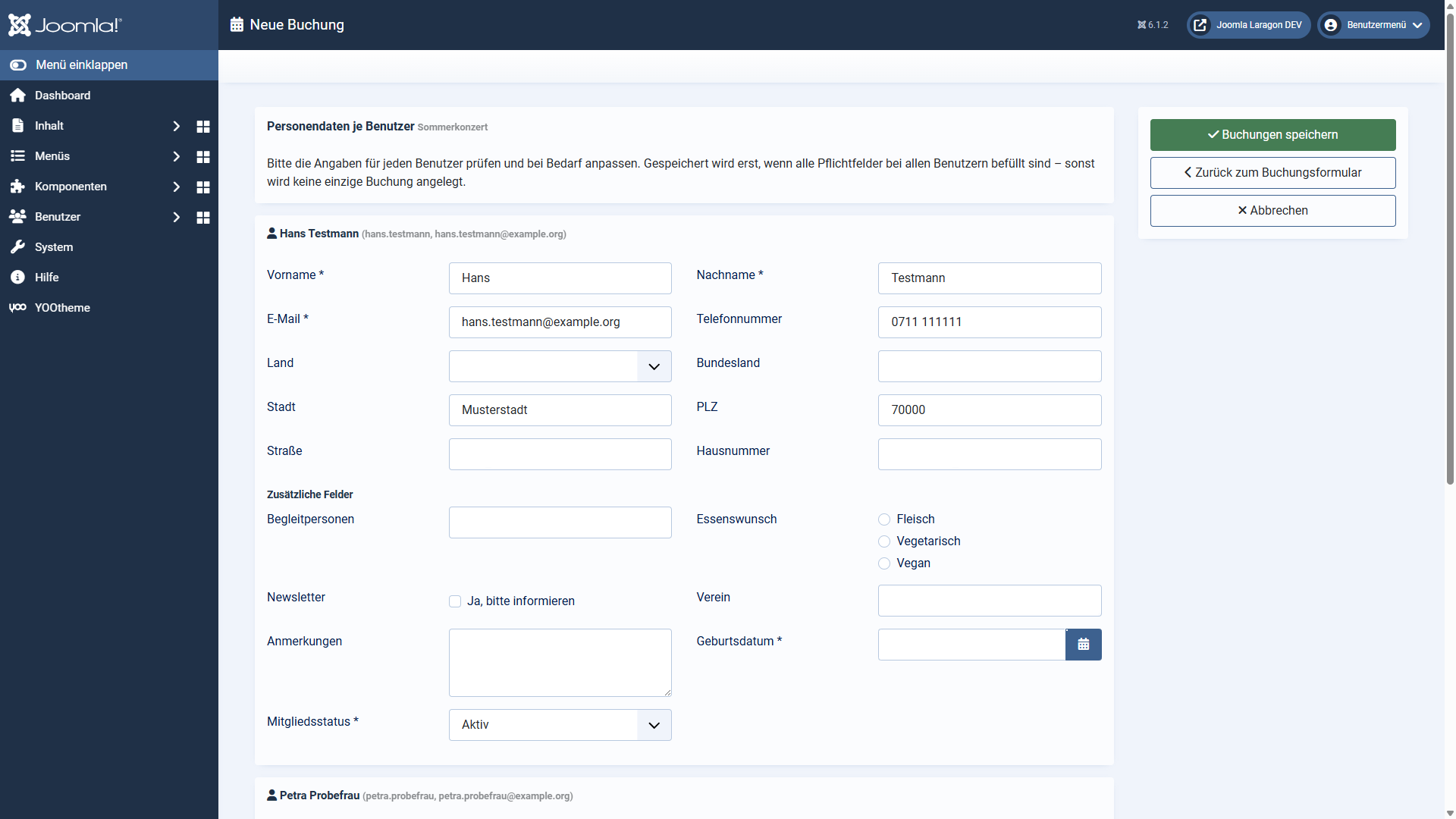
The fields are pre-filled as far as possible, in this order:
Via back to the booking form you can return at any time — your entries so far, the user selection and the ticket quantities are preserved.
Step 3: saving — all or nothing
With Save bookings the plugin first checks every required field for every user. If something is missing, not a single booking is created; the messages name the user concerned ("Hans Testmann: field required: …") and all entries stay in place. Only when everything is complete are the bookings created — half-recorded groups cannot happen this way.
For up to five users you get a linked success message per booking, for larger groups a summary ("12 of 12 user bookings were created"). Warnings — a ticket quantity trimmed by DPCalendar, for example — are always reported individually.
The number of users per run is limited by the option max. users per booking run
(default: 25). With very many fields the PHP limit max_input_vars can lower the limit
further — the plugin points that out instead of losing entries silently.
Applies to version 1.0.6.