# Reports: duplicates and broken references
Besides the unreferenced files, Media Organizer provides two more reports. Both are pure displays: **they delete nothing and change nothing.**
## Duplicates
The report finds files with **identical content** — detected by the checksum (SHA1), not by the file name. Two files can therefore have completely different names and sit in different folders; what counts is that their content is the same byte for byte.
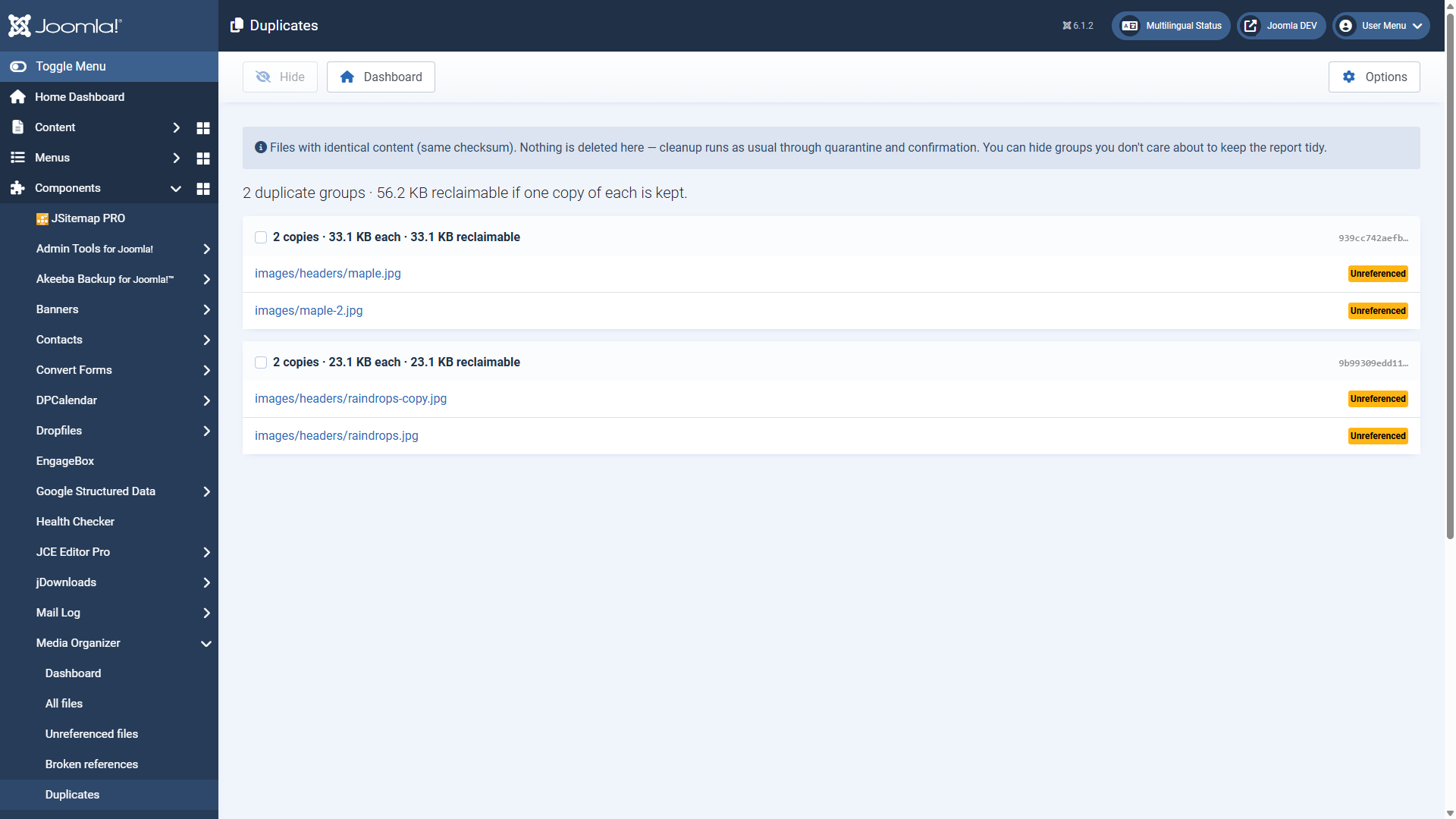 A duplicate group: two identical files, plus the space that could be freed if one copy stays.Every group shows:
- how many copies there are and how large each of them is,
- how much space would be freed if **one copy each stays**,
- the beginning of the checksum,
- the status of every single copy (referenced or without a reference).
**Do not blindly delete all copies but one.** Check the status: if several copies are referenced, different content points to different files. Delete one of them and the corresponding reference is broken — you would have created a dead image link.
The sensible case is: one copy referenced, the others not. Then the unreferenced ones can go — through the normal route.
Cleaning up runs through **quarantine and confirmation** here as well. The report is the magnifying glass, not the broom.
With **Hide** you take groups out of the report that you deliberately want that way — images maintained twice on purpose, for instance. That keeps the list useful over time.
## Broken references
This report turns the direction of view around: it shows **content pointing to a file that does not exist**. Dead image links, in other words — the broken image icon in the frontend.
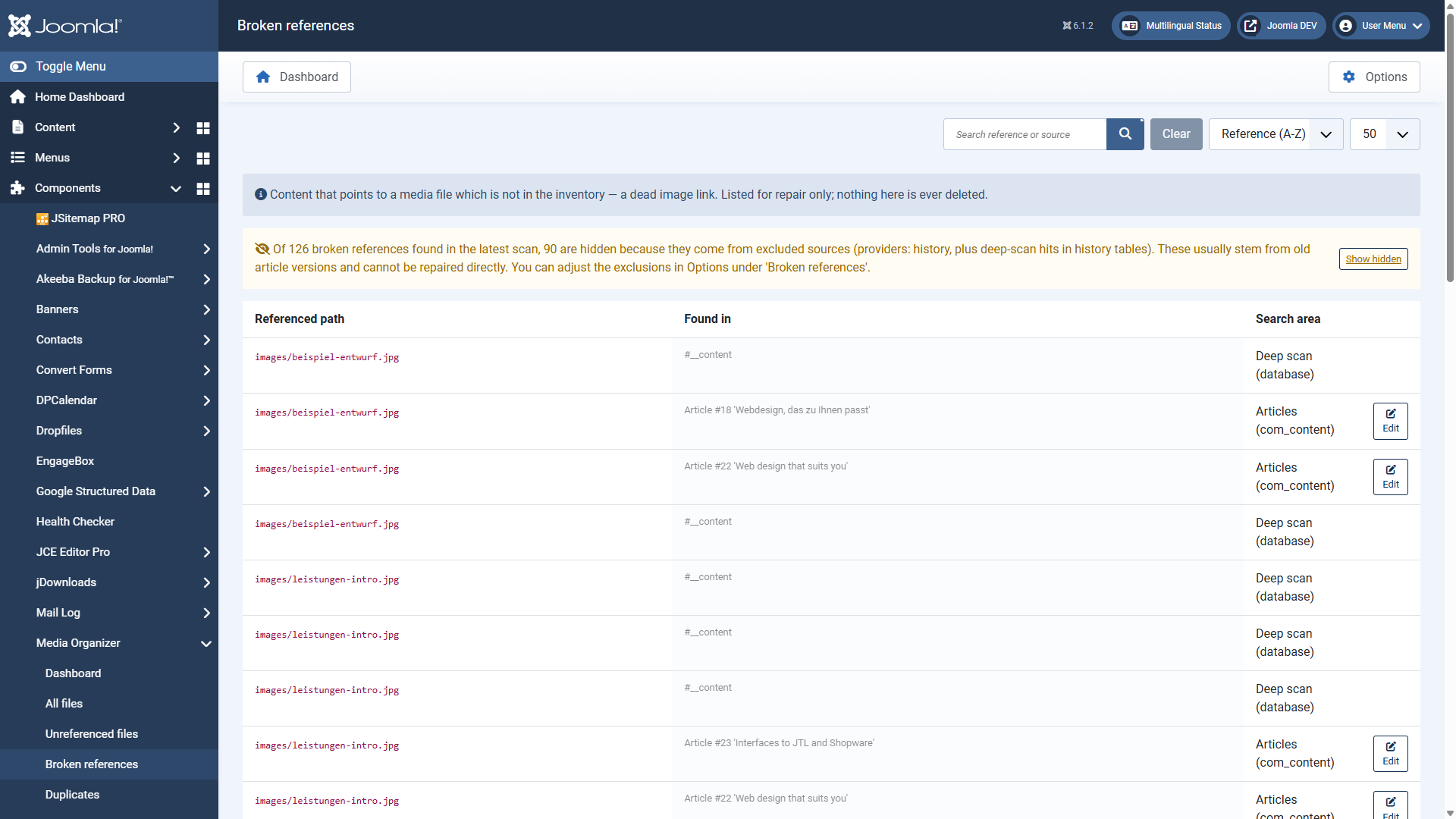 Every row names the missing path, where the reference sits and which search area found it — with a direct edit link.The columns:
Referenced path
The file that is missing.
Found in
Where the reference sits, for example "Article #3 'Welcome to your blog'".
Search area
Which area reported the reference.
Edit
Jumps straight into the content to repair it.
The same missing path appearing more than once is normal: several search areas found it independently.
### Why the version history is hidden
By default, hits from the version history are *not* listed as broken references. The reason is practical: old article versions naturally point to images that were replaced long ago. Those hits would flood the report without there being anything to repair.
You control this under **Options → reports & view** with *hide providers from broken references* (default `history`) and *history tables* (default `#__history`).
### A typical workflow
1. Open the report and see whether the missing file was merely moved or renamed.
2. If so: jump into the content via **Edit** and correct the path.
3. If the file is really gone: remove the reference or put a replacement image in.
4. Scan again — the entry disappears.
A look at this report is worthwhile **after** every cleanup. It is the counter-check: if you removed something by accident that was needed after all, it shows up here.
## Where to go from here
- [Optimisation and image editor](https://docs.graup-it.de/books/media-organizer-en/page/optimisation-and-image-editor)
- [Automation: scheduled scans and 404 monitoring](https://docs.graup-it.de/books/media-organizer-en/page/automation-scheduled-scans-and-404-monitoring)
Applies to version 1.2.0.
[Deutsche Fassung](https://docs.graup-it.de/link/70)