# Notifications when delivery fails
Mail Log can warn you actively when a delivery fails — so you learn about a mail problem without having to keep looking into the log. The settings are in the *options* in the tab *notifications*.
**This is part of the Free version.** The e-mail alert and the Joomla private message exist in both versions — they were part of Mail Log from the start and stay that way. What the Pro version adds in the same tab are two things: the extra route through a *webhook* (see *Alert channel*) and the periodic *report*.
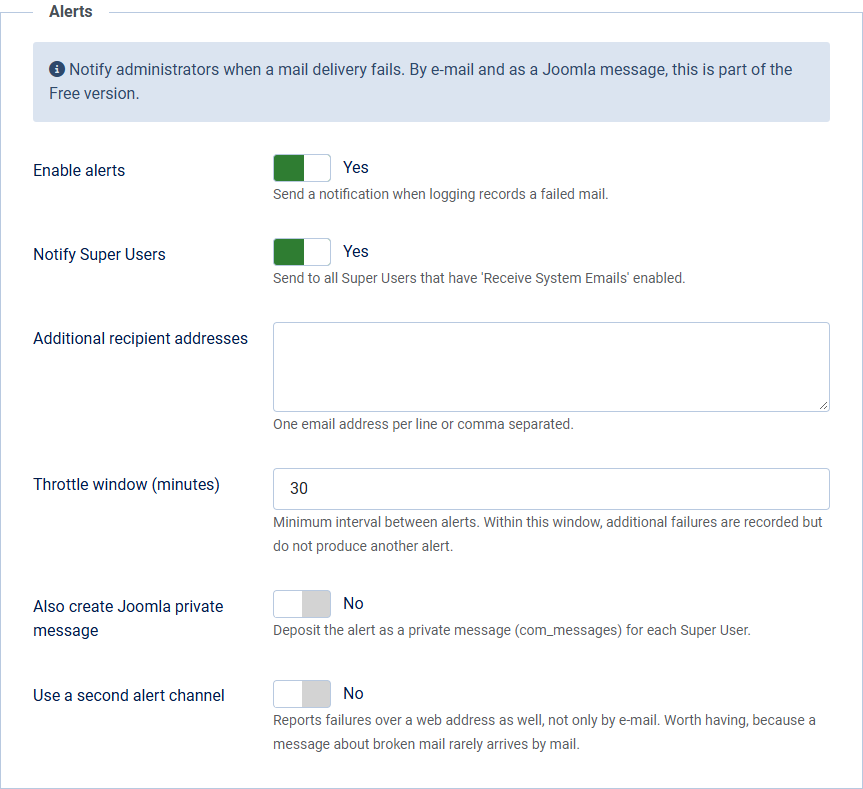 The *Notifications* section in the *Alerts* tab.## Enabling and choosing recipients
Option
Default
Meaning
Enable notifications
No
Main switch. Off by default.
Notify super admins
Yes
Send to all super users who have enabled *receive system emails* in their profile.
Additional recipients
empty
Further addresses, one per line or separated by commas.
Also as a Joomla private message
No
Additionally files the alert as an internal message (com\_messages) for every super user.
## Not too many messages: the throttle
So that a run of failures (a mail server that has gone down, say) does not flood you with hundreds of warnings, Mail Log combines alerts.
With *throttle window (minutes)* (default 30) you set the minimum gap between two alerts. Further errors within that window are counted but trigger no further message. So you get a warning, not an avalanche.
## No loop
The warning mail itself is not treated as a new error when it is sent — Mail Log deliberately prevents one notification from triggering another. That way no alert loop can arise.
## Recommendation
On production sites it is worth switching notifications on and keeping at least the super admins as recipients. That way you notice a delivery outage within minutes instead of at the next customer complaint.
Applies to version 1.5.0.
[Deutsche Fassung](https://docs.graup-it.de/link/86)