# Mail Log at a glance
Mail Log records every email your Joomla website sends through the Joomla mailer. For each message you see *who* triggered it, *whom* it went to, *whether* delivery succeeded and — depending on the settings — the full content. Failed deliveries are recorded just like successful ones. That gives you a complete record of what your website actually sent.
Mail Log is a pure administrator extension for Joomla 6 and produces no output in the frontend whatsoever.
The screenshots in this manual were taken on a German Joomla installation. The extension follows the language of your installation, so the labels appear in English on an English backend.
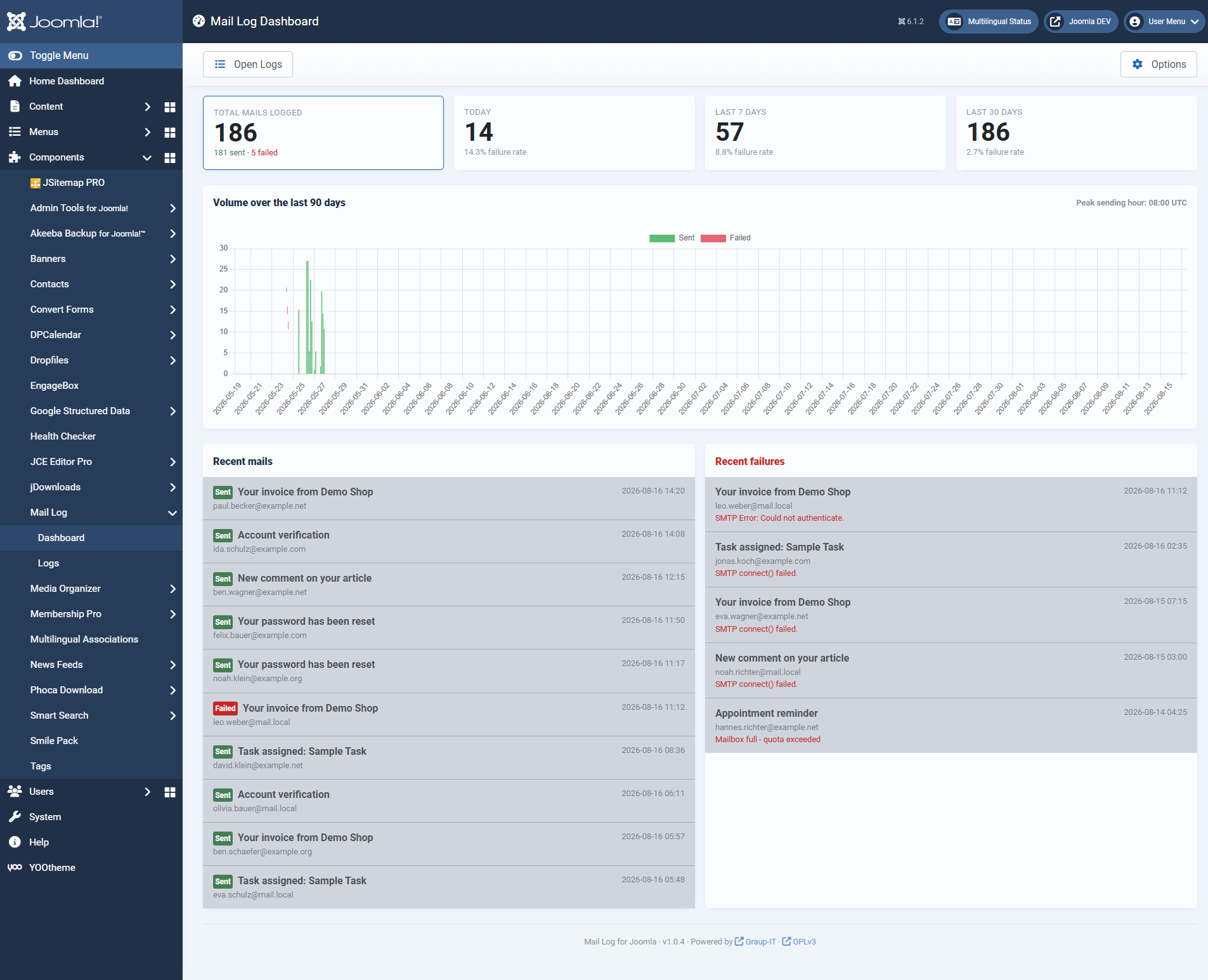 The dashboard sums up the mail volume: total, today's and weekly figures, error rates, an activity chart as well as the latest mails and errors.## What you use Mail Log for
- **Troubleshooting delivery.** You see immediately which mails failed, with the exact error message from the mail server.
- **Proof and audit.** Was the order confirmation, the registration mail, the notification really sent? The log answers that with timestamp, recipient and content.
- **Resending.** A lost mail can be delivered again with one click — to the original addresses or to a different one.
- **An overview of the volume.** The dashboard shows volume, peak times and error rates at a glance.
## Privacy is built in, not bolted on
A mail log inevitably stores potentially sensitive content. Mail Log is therefore frugal with the data out of the box:
**By default only a short excerpt of the message text is stored, no full body and no raw MIME message.**
- **Sensitive mails are recognised.** Messages with subject lines such as "reset password", "token" or "2FA" are classified as sensitive automatically and stored with metadata only by default — the reset link does not end up in the log.
- **Encryption without a key in the database.** If you choose encrypted storage, the key is derived from the Joomla secret and is not held in the database. A stolen database alone does not reveal the content.
- **Attachments outside the web root.** Captured attachments are copied to a protected directory that cannot be reached directly over the web.
- **Separate permissions for reading.** Whoever may see the list may not automatically read the message texts — that is a permission of its own.
- **Strictly local.** No external services are contacted. No data leaves your website.
## What Mail Log consists of
The package installs three extensions that belong together:
- **The component** `com_maillog` — the backend interface with dashboard, list and detail view.
- **The system plugin** `plg_system_maillog` — it intercepts the mail sending and writes the log entries. Without this plugin nothing is recorded.
- **The task plugin** `plg_task_maillog` — the maintenance tasks for the Joomla task scheduler (cleanup, statistics, migration).
## How to read on
If you are starting out, this order works best:
1. [Requirements and installation](https://docs.graup-it.de/books/mail-log-en/page/requirements-and-installation)
2. [Download key and updates](https://docs.graup-it.de/books/mail-log-en/page/download-key-and-updates)
3. [Quick start: the dashboard](https://docs.graup-it.de/books/mail-log-en/page/quick-start-the-dashboard)
4. [The log list](https://docs.graup-it.de/books/mail-log-en/page/the-log-list)
5. [Looking at an entry](https://docs.graup-it.de/books/mail-log-en/page/looking-at-an-entry)
6. [Body storage, encryption and sensitive content](https://docs.graup-it.de/books/mail-log-en/page/body-storage-encryption-and-sensitive-content)
Applies to version 1.0.5.
[Deutsche Fassung](https://docs.graup-it.de/link/76)