# Log rules and display rules
Mail Log has two kinds of rules that are easy to confuse but do very different things. Both are found in the *options*.
**Log rules** decide which mails are stored at all.
**Display rules** only decide which stored mails appear in the list.
## Log rules: what is never stored in the first place
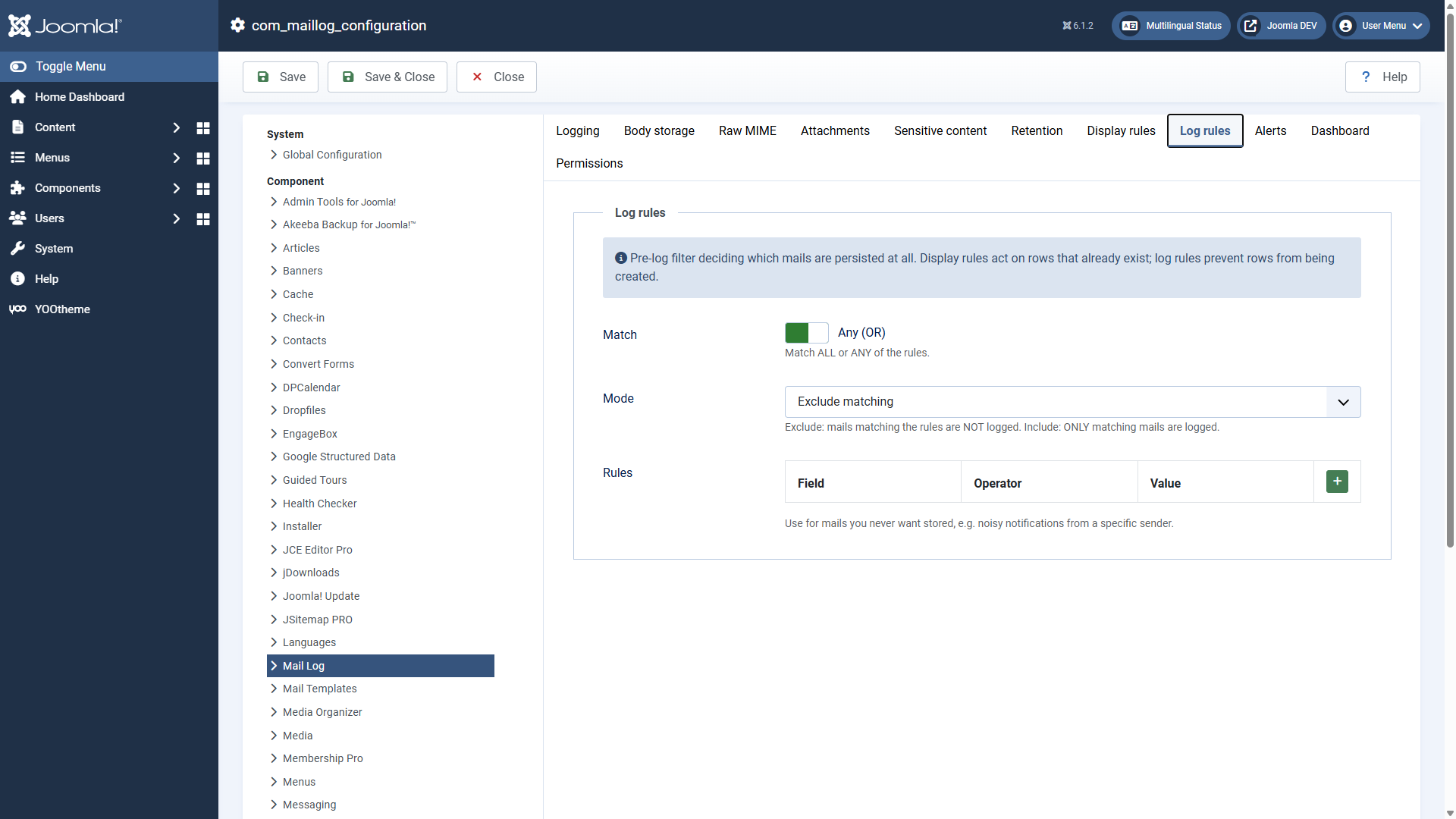 Log rules filter before anything is stored.Log rules take effect **before** anything is written to the database. That keeps uninteresting bulk mail out of the log — noisy notifications from a particular service, for instance. What a log rule excludes never becomes an entry.
Two settings determine the behaviour:
**Mode**
*Exclude matches* — matching mails are NOT logged. *Include matches only* — ONLY matching mails are logged, everything else is discarded.
**Match**
Whether a mail has to satisfy *all* rules (AND) or *any* of them (OR).
## Display rules: what is hidden in the list
Display rules take effect **after** storing. Matching entries are merely hidden in the list and on the dashboard — nothing is deleted. Change the rule and the entries reappear. Useful for tidying up an overloaded view without losing data.
## How a rule is put together
Both rule types are built from the same parts. Every rule checks a **field** with an **operator** against a **value**:
**Field**
Subject, body, recipient or sender.
**Operator**
contains, does not contain, equals, does not equal, starts with, ends with — for display rules additionally is empty / is not empty.
**Value**
The text to compare against.
## Examples
- **Do not log cron job mails:** log rule, mode *exclude matches*, field *sender*, operator *contains*, value `cron@`.
- **Log order mails only:** log rule, mode *include matches only*, field *subject*, operator *contains*, value `order`.
- **Hide internal test mails:** display rule, field *recipient*, operator *ends with*, value `@internal.example`.
The mode *include matches only* for log rules is sharp: everything that does not match is not logged. Use it deliberately and check afterwards that the mails you want still reach the log.
Applies to version 1.0.5.
[Deutsche Fassung](https://docs.graup-it.de/link/85)