# Download key and updates
Mail Log receives updates through the official Joomla update mechanism. To allow your website to fetch them, enter your personal download key once.
## Entering the download key
1. Create your download key in your customer account on [graup-it.de](https://www.graup-it.de) (menu item *Download IDs*). One key applies per website and covers all extensions obtained through it.
2. In the backend, open *System → Update → Update Sites*.
3. Open the entry *Mail Log Update Site* and enter the key into the field *Download Key*.
4. Save.
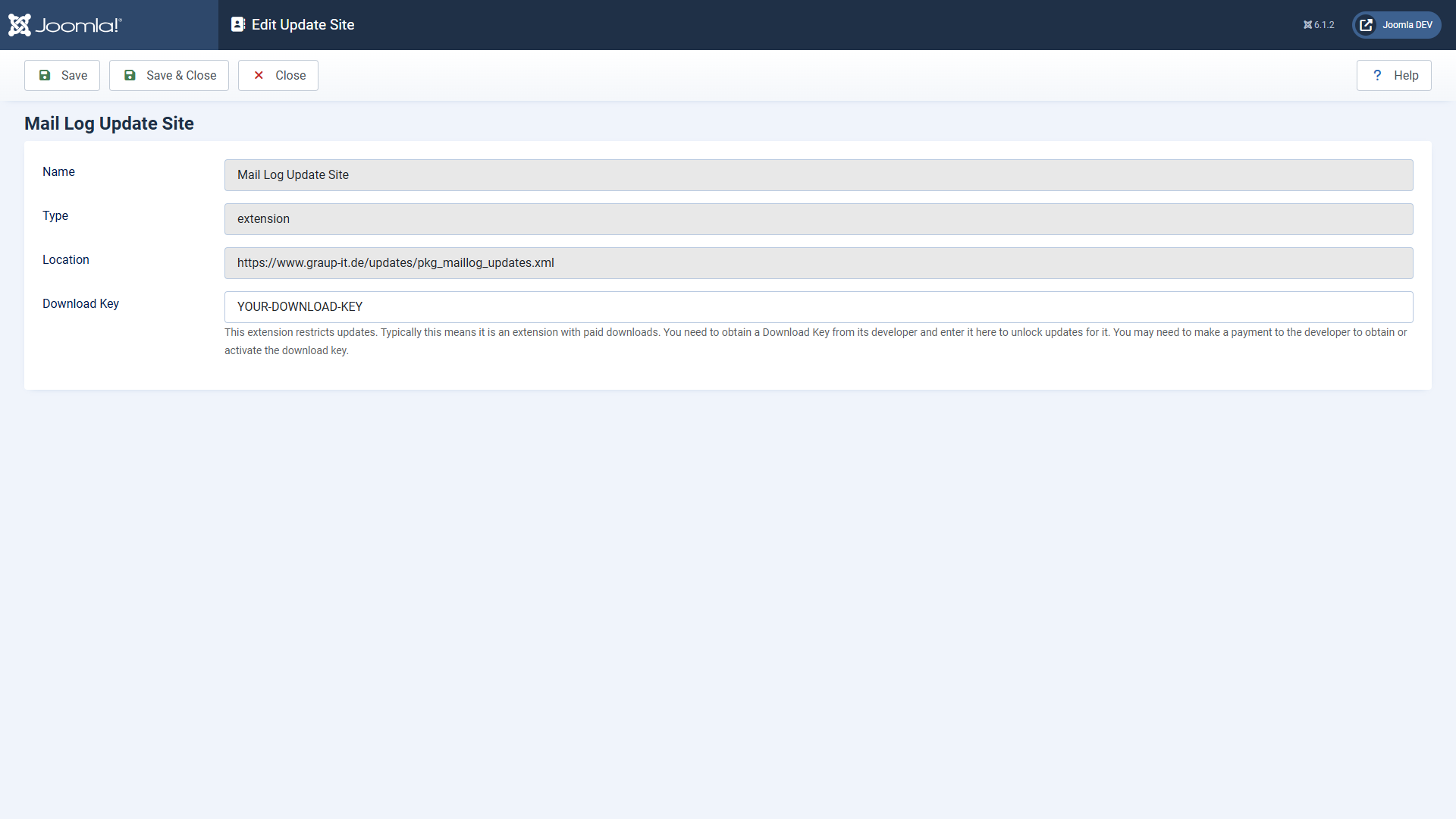 In the update sites you enter the download key at the Mail Log update site.
Make sure to paste the key **without leading or trailing spaces**. A space copied along with it makes the update fail with an error message ("URL rejected" or "Package download failed").
## Installing updates
1. Open *System → Update → Extensions*.
2. If a new version is available, Mail Log appears in the list. Select it and click *Update*.
3. Joomla downloads the package using your download key, verifies the checksum and installs the new version.
If Joomla finds no update although a new version exists, click *Check for Updates* first to refresh the cache.
## The manual route
You can also install any version by hand: download the ZIP and install it via *System → Install → Extensions*, just like the first installation. An update through the package overwrites the existing installation and keeps your settings and log data.
Applies to version 1.5.0.
## Two versions, two update sources
Mail Log comes as a Free version and as a Pro version. Both need a download key, but they take their updates from different sources. Joomla switches this over by itself as soon as you move from one to the other — there is nothing to enter and nothing to change by hand.
Your key stays the same either way. Which version you are running, and how to switch, is covered under *Free version and Pro version*.
[Deutsche Fassung](https://docs.graup-it.de/link/78)