# Quick start: the first booking
This is how you record your first backend booking — from the button to the success message it takes less than a minute.
## Step 1: choose an event
1. Open *Components → DPCalendar → Bookings* and click **New booking** in the toolbar.
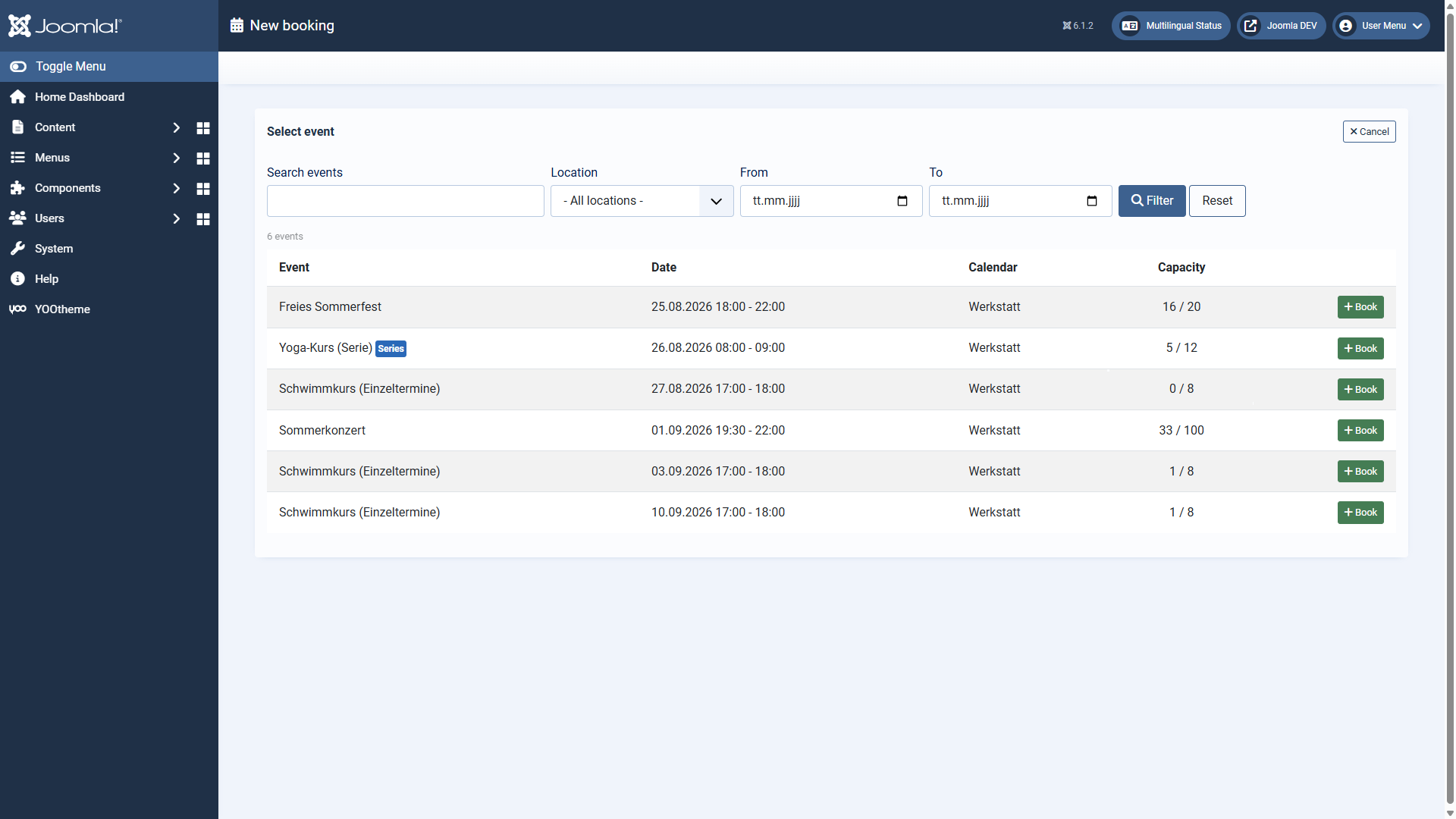
2. You see the list of bookable events from the enabled calendars — with date, calendar and current occupancy. Use the filter bar to narrow the list down if needed.
3. Click **Book** in the row of the event you want.
## Step 2: fill in the booking
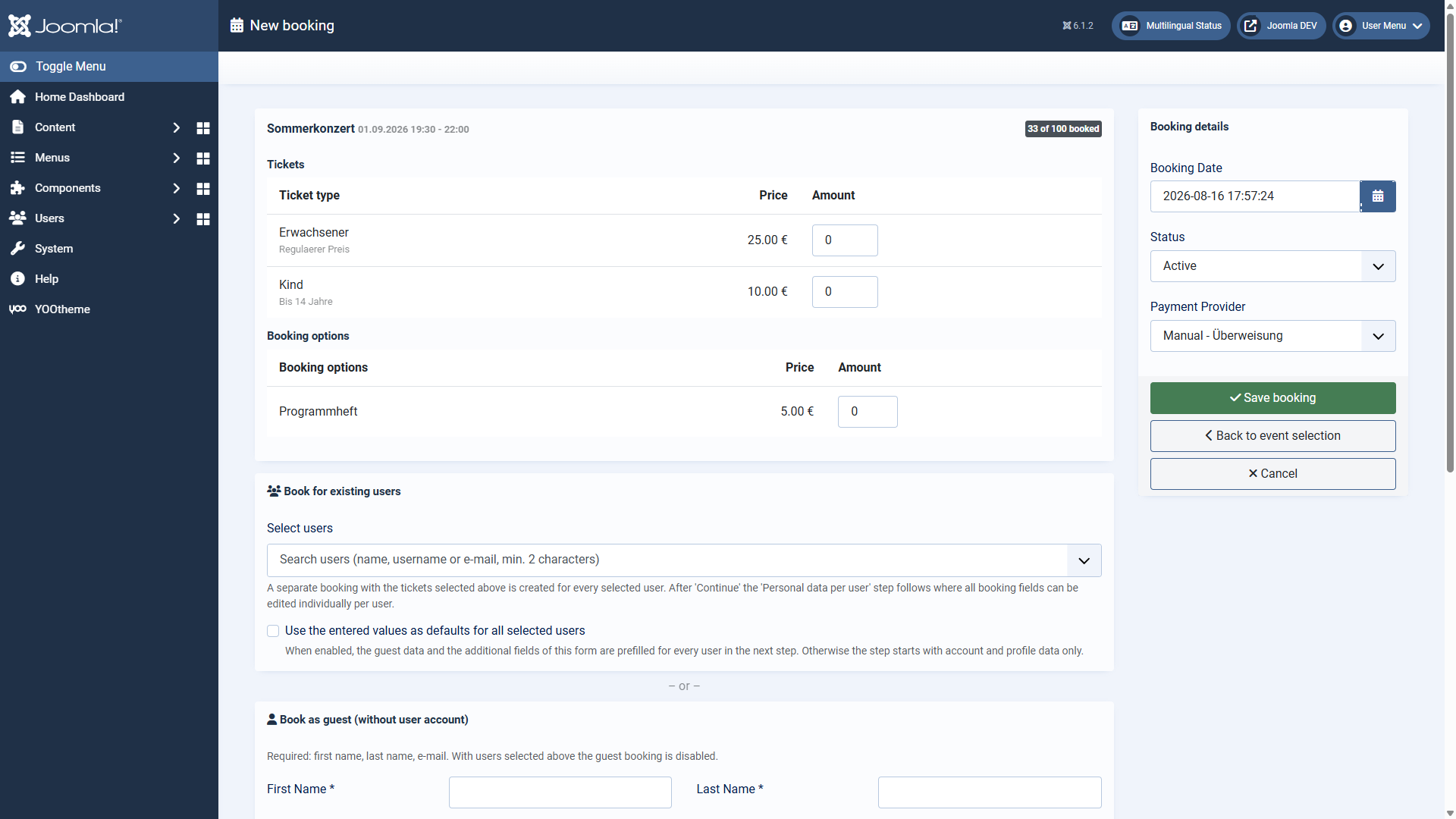
1. At the top, choose the **number of tickets** (per type if there are several ticket types) and any booking options.
2. Enter the contact details in the card *Book as guest*: first name, last name and email are required. Alternatively, select one or more **existing users** in the card above — then the guest entry is not needed.
3. Fill in the additional fields, if your DPCalendar installation defines any.
4. On the right, under *Booking details*, adjust the booking date, the status and — for events that cost money — the payment provider if needed.
5. Click **Save booking**.
## Step 3: check the result
After saving you are back in the booking overview. The success message names the new booking including the event date and links to it directly — one click opens the booking for checking or editing.
The booking goes through the same DPCalendar logic as an online booking: tickets are created, prices calculated, remaining places updated and — if enabled — the usual confirmation and notification emails sent.
## Where to go from here
- All details about the selection list: [The event selection](https://docs.graup-it.de/books/backend-booking-en/page/the-event-selection)
- All details about the form: [The booking form](https://docs.graup-it.de/books/backend-booking-en/page/the-booking-form)
- Several people in one go: [Booking several users at once](https://docs.graup-it.de/books/backend-booking-en/page/booking-several-users-at-once)
Applies to version 1.0.8.
[Deutsche Fassung](https://docs.graup-it.de/link/95)